
Scroll TikTok lately and it's hard to avoid the same soccer scene: floodlights over a night pitch, a goalkeeper's flying save missing the ball, the ball flicked up in the air, two defenders sliding in vain, and the star calmly passing it into the open net. But the striker isn't Mesut Özil — it might be a grandma, a game villager, a friend, or even your pet. That's the Ozil Goal AI Video meme that went viral in October 2026.
There's a matching workflow on PoloX too: you can generate a video in one click with the Ozil Goal AI Video Generator, or build it yourself in Classic / Agent using Wan 3.0 Reference to Video. First, here's how it went viral — then a clear walkthrough of the three methods.
Sample result generated with the PoloX Ozil Goal AI Video Generator (about 14 seconds, with stadium sound effects).
How Did This Video Go Viral?
The story has two layers.
Layer one is a real goal. On November 1, 2016, Arsenal faced Ludogorets away in a UEFA Champions League group stage match. Özil ran onto a long pass, rounded the onrushing goalkeeper, waited for the ball to drop as two defenders slid in past him, and passed it into the empty net — Arsenal came back to win 3–2. For a decade, fans have treated that "round the keeper + control + sell the slide tackle" rhythm as a classic.
Layer two is the AI swap. Nearly a decade later, creators began using AI video tools to replace the striker with a completely mismatched character. Several meme breakdowns (such as MakeViral and Toklytics) point to the key moment in this TikTok wave: @r7538701fal. Around October 9, 2026, the account posted an AI version of a Minecraft villager scoring the same goal, set to a French-flavored original sound (shown on TikTok as "som original"), with tags like #ozil and #gol; it quickly climbed to the top of the topic. The next day brought variants such as the grandma-in-headscarf version, and CapCut templates and "one photo is all you need" tutorials followed. The joke is simple: same wondergoal, completely wrong outfit and identity.
Video Source
The key original post behind this TikTok meme comes from the account @r7538701fal (display name R). Around October 9, 2026, the account posted the Minecraft villager version of the Ozil Goal AI video, tagged with #ozil, #gol and more; variants like the grandma-in-headscarf version and CapCut templates followed.
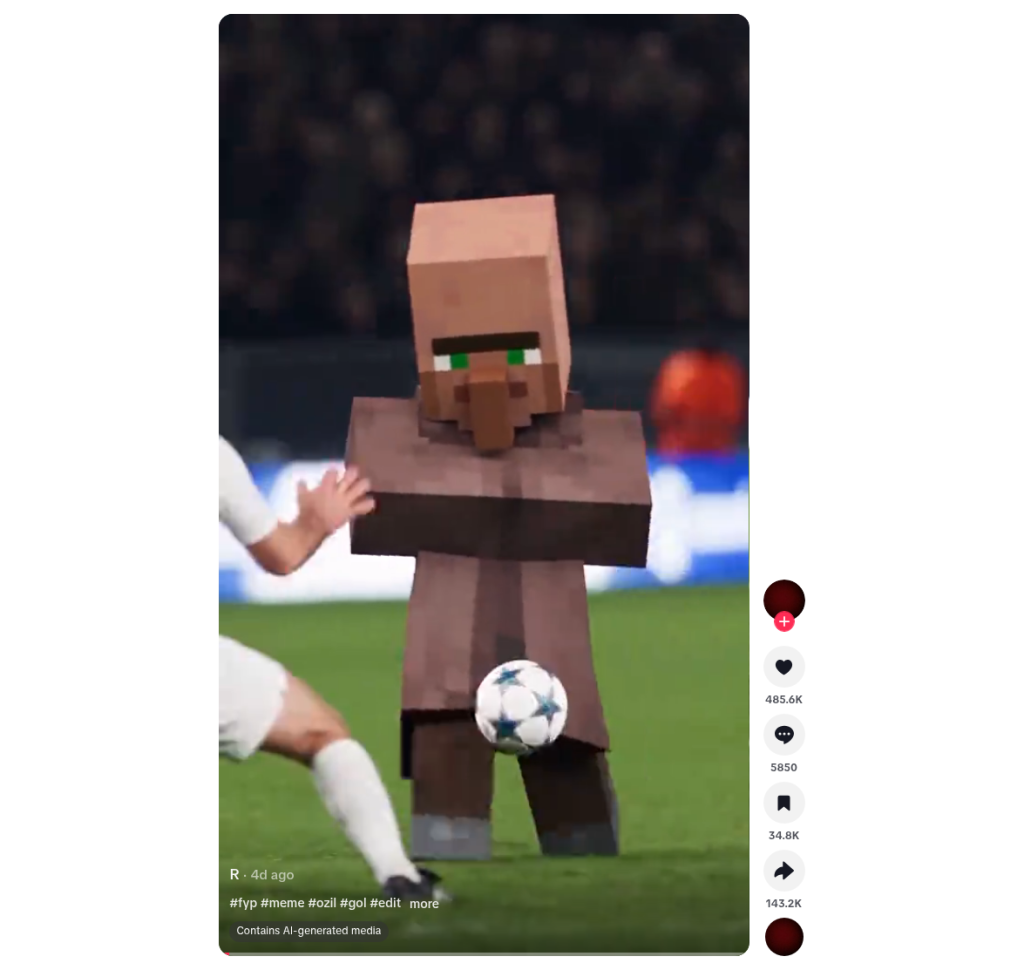
Original post footage (TikTok @r7538701fal)
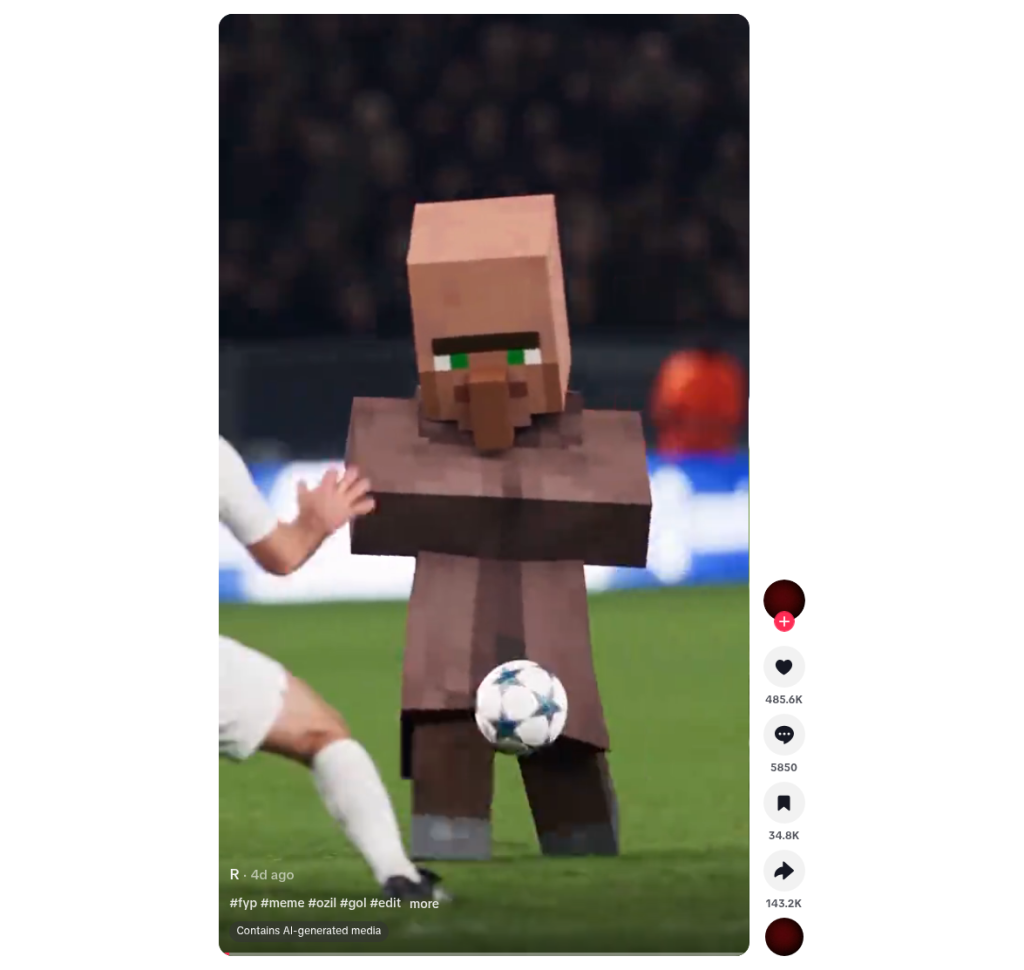
Original post: Minecraft villager version of the Ozil Goal AI video; by @r7538701fal.
The same account posted a variant the next day that template sites often cite (the grandma-in-headscarf version), useful as a comparison: https://www.tiktok.com/@r7538701fal/video/7695130150530256135.
PoloX's skill page sums up the workflow plainly: upload a clear portrait or pet photo and get a roughly 14-second "Özil-style one-on-one" video with stadium sound effects — see the Ozil Goal AI Video Generator.
How Do You Do It on PoloX? Three Paths
Three methods, ordered from most control to least (from "hands-on" to "one-click").
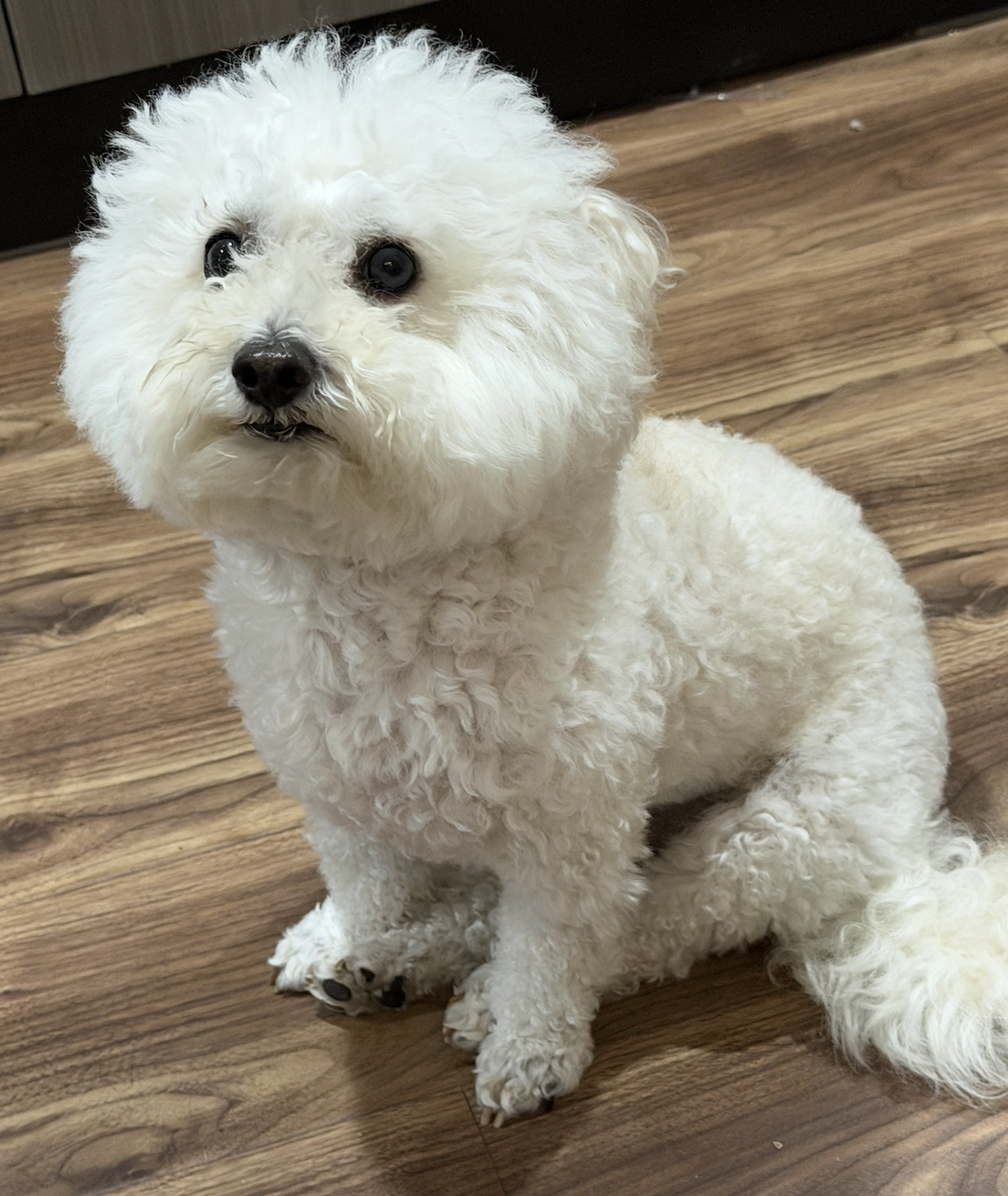
The subject photo used in this tutorial (a pet). All three methods — Classic (Wan 3.0 R2V), Agent (call the skill, then upload and send), and the one-click Skill — can start from a clear photo like this.
Method 1: The Classic Generator (Wan 3.0 Reference to Video)
Best for when you want to control the prompt, reference video, and duration yourself.
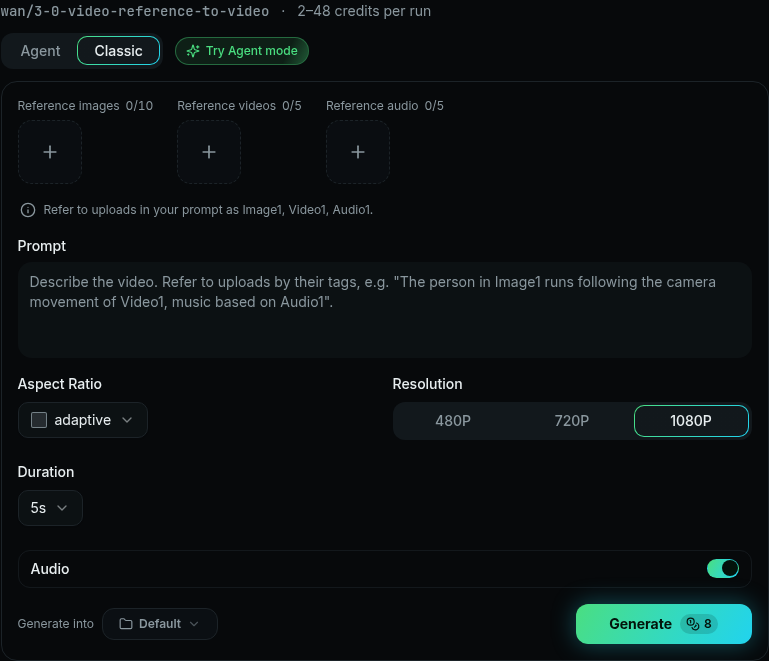
Classic: the Wan 3.0 Reference to Video interface
Open Wan 3.0's Reference to Video page: https://polox.ai/models/wan-3-0?variant=r2v
Make sure the mode is Wan 3.0 · Reference to Video (R2V).
Reference video: Upload the original meme clip (or a legally saved clip of the same action) as the Reference video. Refer to it as
Video1in the prompt — use it only as a reference for action, camera work, and pacing; don't copy anyone's face from it.Subject photo: Then upload the photo of the subject you want to swap in (yourself, a friend with their consent, or a pet). Refer to it as
Image1in the prompt. Keep the face clear and the lighting even; a full-body or half-body shot is steadier than a close-up selfie, so the model can better estimate body shape and dribbling motion.Prompt: Spell out "keep Video1's action and camera work, swap the ball carrier for Image1, and keep Image1's face, hairstyle, and clothes." You can use the example below directly.
Duration: Pick a length that matches the reference video. The original meme clip runs a little over ten seconds; PoloX's official skill fixes it at 14 seconds. In Classic you can choose 14 or 15 based on your reference video's length (note: with a reference video, the input reference duration plus the output duration must satisfy the page's limit — the Wan 3.0 docs state the combined total must not exceed 30 seconds).
Sound: Turn Audio / Sound ON to keep the stadium atmosphere or the synced audio track.
Start with a 480P test render, then move up to 720P / 1080P once you're happy — it wastes fewer credits.
Hit generate, and when you download and post to TikTok / Reels / Shorts, remember to label it as AI-generated per each platform's rules, and add a source note (if you cited someone's original post).
Classic example prompt (copy-paste ready)
Video1 is only a reference for action, camera movement, and pacing: a night soccer pitch under floodlights, a low pitch-side camera, the ball carrier dribbling toward the camera, rounding the diving goalkeeper, controlling the ball off the chest, two defenders sliding in past him, then a gentle roll into the open net.
Do not copy the face, hairstyle, or age of anyone in Video1.
Swap the ball-carrying goalscorer for Image1: strictly preserve Image1's facial features, hairstyle, body shape, clothing, and shoes, keeping the identity consistent throughout.
Replace the goalkeeper and defenders with ordinary adult players wearing plain jerseys with no crest and no number; the ball is a standard white soccer ball.
Realistic night-match broadcast look, one continuous shot, ending with the ball rolling into the net. No subtitles, crests, score bugs, watermarks, or extra limbs.
If the subject is a pet, change the middle sentence to something like: "Swap the ball-carrying goalscorer for the pet in Image1, keeping its fur color, body shape, and facial features, and have it complete the same action as an anthropomorphic soccer player."
Method 2: Agent Mode (Conversational Creation)
If you'd rather not write prompts, PoloX's Agent mode is the easiest route: portrait or pet both work — just upload the photo and send it. The Agent analyzes the subject, writes the prompt for you, then asks which resolution you want; pick one and generation starts.
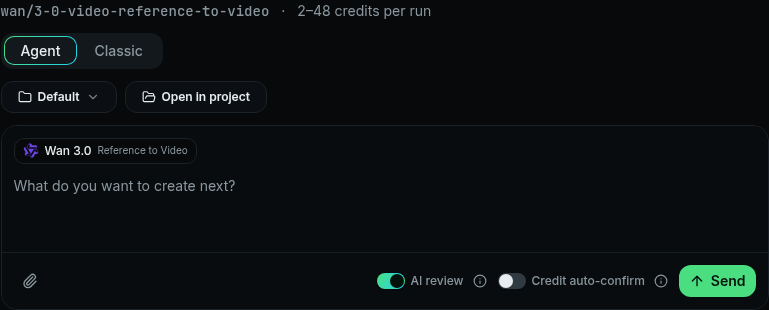
Agent mode interface.Recommended workflow:
Open the PoloX homepage and switch the generator to Agent (not Classic).
In Agent, type
/, then search for and select the Ozil Goal AI Video Generator skill (the same one as Method 3 below).Upload a clear photo of the subject (yourself, a friend with consent, or a pet) and send it directly — no long prompt to write, and no need to manually
@Wan 3.0 or fill inImage1/Video1.The Agent asks for the output resolution (e.g. 480P / 720P / 1080P); pick one, confirm, and generation begins.
If you're not happy with the result, keep chatting with the Agent to refine it — e.g. "make the face more like the photo," "don't turn the clothes into a jersey," "stop the ball clipping through things," or "make it vertical for TikTok." The Agent rewrites the prompt from your feedback and reruns; you usually don't need to go back to Classic.
When you want to control the reference video, prompt, and duration yourself, switch to Method 1 (Classic).
Method 3: Use the Official Skill Directly (Fastest)
One-stop entry: Ozil Goal AI Video Generator
Skill page details (key points):
What it does: Drops any portrait or pet photo into a classic Özil-style one-on-one goal scene.
What you need: One clear photo (JPEG / PNG / WEBP / BMP, up to 20MB each).
What you choose: Output resolution — 1080P (sharper) / 720P (balanced) / 480P (faster and cheaper).
What the skill fixes: Audio on, duration of about 14 seconds, adaptive aspect ratio.
Underlying model: Wan 3.0 (credits vary by resolution; the skill page FAQ lists reference costs for 480P / 720P / 1080P).
Steps:
Open the skill page and follow the prompts to start a conversation / generation flow.
Upload the subject photo (person or pet both work; the skill demo even shows a Bichon Frise finishing a one-on-one).
Choose a resolution.
Confirm to generate, wait for the result, then download and share.
Perfect for "I just want to jump on the trend quickly without writing prompts." After it's done, if you want to fine-tune it (likeness, keep the clothes as-is, framing), just keep chatting with the Agent; only go back to Method 1 (Classic) when you need to swap the reference clip yourself, hand-write the prompt, or control the duration precisely.
Tips (to Make the Result Feel Like the Meme)
Photo: One person, clear face, no sunglasses or masks; full-body or at least from the knees up works best.
Clothes: Keeping everyday outfits is usually funnier than forcing a jersey — a suit, an apron, or pajamas crashing into a wondergoal is what makes it land.
Copyright and likeness: Only use your own photos, or people/pet owners who have clearly consented; don't use unauthorized athlete or celebrity likenesses for commercial promotion. The PoloX skill FAQ also notes that commercial use involving a real person's likeness requires written consent.
Publishing: Label it AI-generated; if you re-post or recreate a TikTok, credit the original creator and link (see "Video Source" above).
Saving credits: Do a short 480P test first, then raise the resolution once the framing is right.
How to Choose Between the Three Methods
Method · Entry · Who it's for — Classic · Wan 3.0 R2V polox.ai/models/wan-3-0?variant=r2v for writing your own prompt, swapping the reference video, and controlling duration; Agent mode polox.ai switch to Agent at the top + / to call the skill, just upload a photo and keep chatting to refine if you're not happy; one-click Skill Ozil Goal AI Video Generator fastest way to jump on the trend, just upload a photo
No matter which route you take, the core is the same: a clear subject photo + Özil-style one-on-one rhythm + audio on. Try one through any of the entries above, and leave a source credit for the TikTok creator @r7538701fal — memes only spread because people bother to write down where they came from.