
Open TikTok right now and you will probably hit the same beat within a few scrolls: a laugh straight into the camera, a big side lunge, a hop, a low bounce with both hands sweeping near the ground, a jump, then a shimmy to finish. The dancer might be a stranger in a pink trench coat, a CapCut character, a Halloween costume — or your own face, your friend, or your pet. That is the Wipe Me Down dance AI wave of late 2026.
PoloX has a matching workflow. You can generate a clip in one pass with the Wipe Me Down Dance AI skill, or build it yourself in Classic / Agent with Wan 3.0 Reference to Video. Below: where the trend came from, then three clear paths on PoloX.
Sample result from the PoloX Wipe Me Down Dance AI skill (about 10 seconds, with audio).
How Did This Dance Go Viral?
There are three layers.
Layer one is the song. "Wipe Me Down" is a 2007 Baton Rouge track by Foxx with Lil Boosie and Webbie (the remix is the version almost every short uses). The bounce is simple, loud, and easy to loop for fifteen seconds of vertical video.
Layer two is the real-world dance meme. For years the sound has carried dance challenges and skits — including masked "Louisiana Michael Myers" style clips — and TikTok creators such as Carnell Nichols have performed related stomps and green-screen battles set to the same track. In summer 2026, kitchen and living-room remakes brought the choreography back into the mainstream feed.
Layer three is the AI swap. Through CapCut templates and AI generators in September–October 2026, the move set became a one-photo template: keep the laugh → lunge → hop → low wipe → jump → shimmy timing, replace the dancer with whoever is in your photo, keep their clothes, and drop the trend audio onto the finished file. Pet versions (dog or cat on hind legs, paws doing the wipe) are part of why it keeps spreading.
We are not inventing a single "first TikTok" here. The choreography has multiple viral remakes and CapCut packs; when you post, credit any specific creator whose clip you remixed, and label the result as AI-generated.
Video Source & Attribution
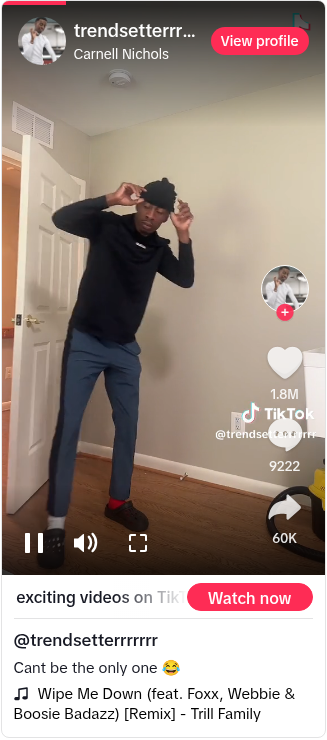
Original post footage (TikTok @trendsetterrrrrrr)
When you remake the trend:
Original clip by Carnell Nichols (@trendsetterrrrrrr): https://www.tiktok.com/@trendsetterrrrrrr/video/7364420562304683307
Credit the song: "Wipe Me Down" (Foxx feat. Lil Boosie & Webbie) / the remix used on-platform.
If you used someone's specific TikTok or CapCut template as a reference, name the account and link the post.
On PoloX, the official entry is the skill page: Wipe Me Down Dance AI.
PoloX's skill page describes the product plainly: upload a clear portrait or pet photo, pick a setting (Times Square, beach, neon street, cozy room, and more), choose resolution, and get roughly a 10-second dance clip with audio on and adaptive aspect ratio.
How Do You Do It on PoloX? Three Paths
Three methods, from most control to least (hands-on → one-click).
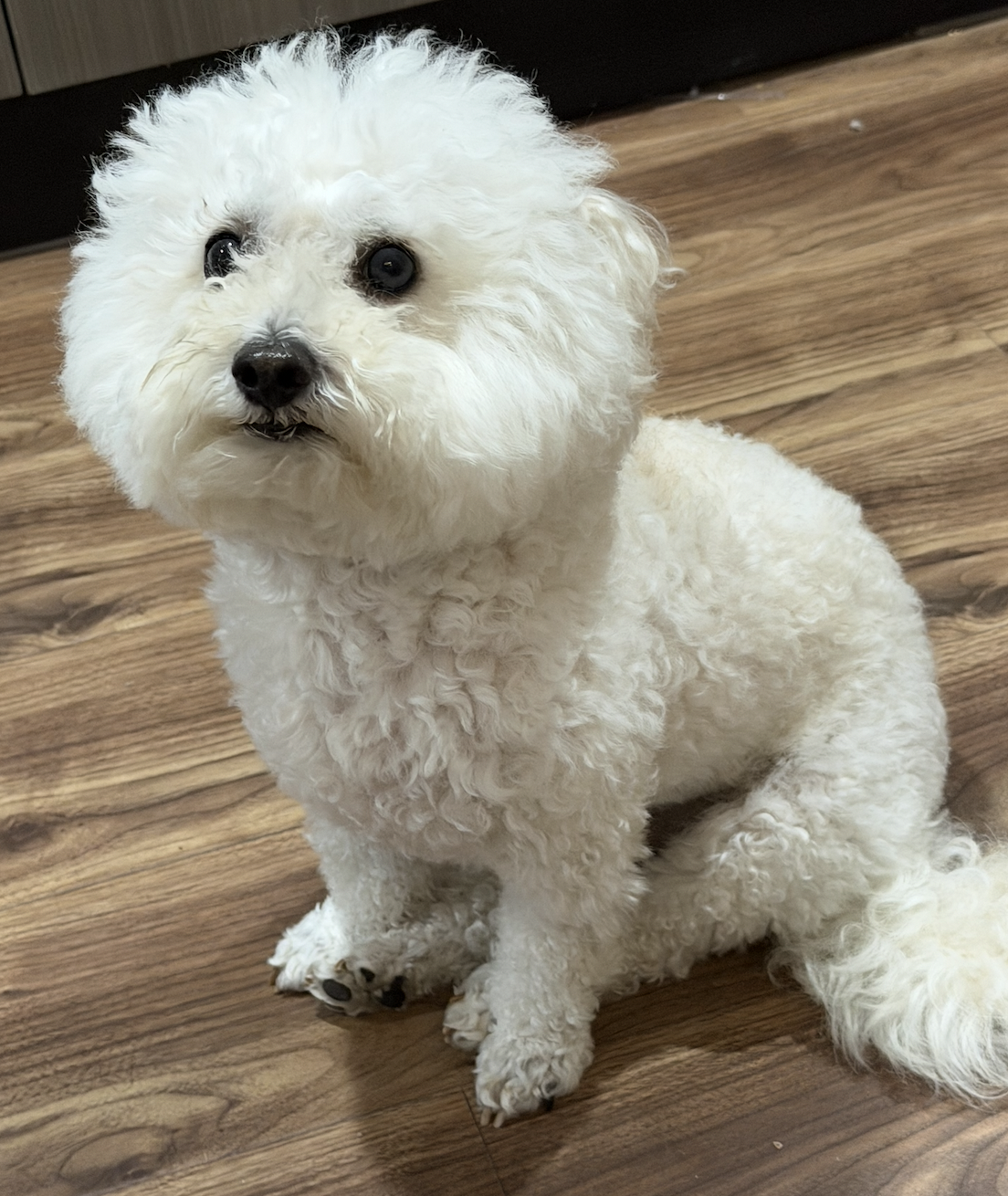
The subject photo used in this tutorial (a pet). Classic, Agent, and the one-click Skill can all start from a clear photo like this.
Method 1: The Classic Generator (Wan 3.0 Reference to Video)
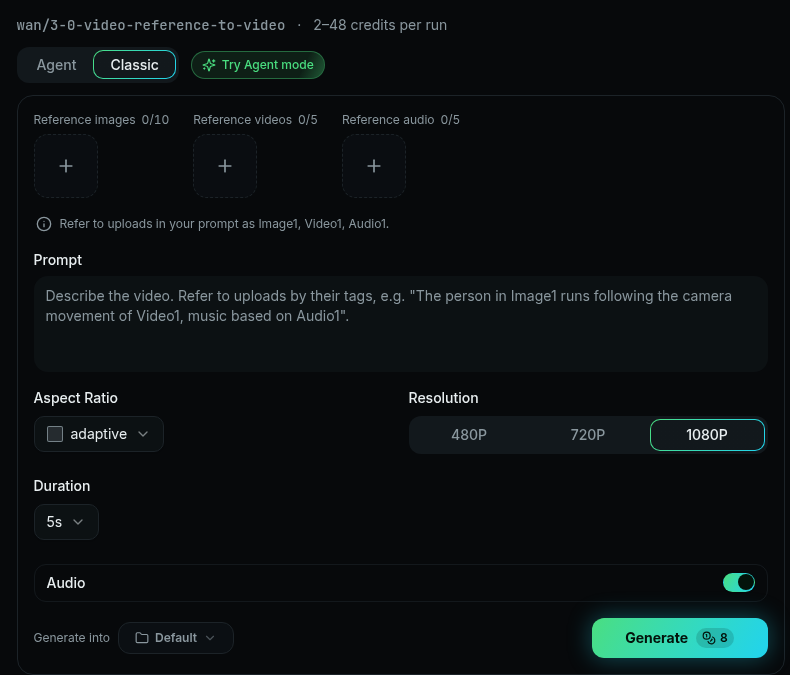
Classic: Wan 3.0 Reference to Video interface
Best when you want to control the prompt, reference video, duration, and background yourself.
Open Wan 3.0 Reference to Video: https://polox.ai/models/wan-3-0?variant=r2v
Confirm the mode is Wan 3.0 · Reference to Video (R2V).
Reference video: Upload a Wipe Me Down dance clip you are allowed to use (your own recording, or a legally saved reference) as the Reference video. Call it
Video1in the prompt — use it only for motion, camera, and timing; do not copy anyone's face from it.Subject photo: Upload the person or pet you want as the dancer (
Image1). Clear face, even light; full-body or at least waist-up is steadier than a tight selfie.Prompt: Keep Video1's choreography and pacing; swap the dancer for Image1; preserve Image1's face, hair/fur, and clothes; place them in your chosen setting.
Duration: Match the reference when you can. PoloX's official skill fixes output at about 10 seconds. With a reference video, respect Wan 3.0's combined input+output duration limit (docs: total must not exceed 30 seconds).
Audio: Turn Audio / Sound ON so the moves land with the track (or your chosen audio reference).
Test at 480P, then move to 720P / 1080P once framing looks right.
Generate, download, and when you post to TikTok / Reels / Shorts, label it AI-generated and credit sources.
Classic example prompt (copy-paste ready)
Video1 is only a reference for dance motion, camera work, and timing: a short Wipe Me Down routine — laugh into the camera, side lunge, hop, low bounce with both hands sweeping near the ground, jump, then a shimmy to finish.
Do not copy the face, hairstyle, age, or clothes of anyone in Video1.
Swap the dancer for Image1: strictly preserve Image1's facial features, hairstyle or fur, body shape, and clothing throughout.
Setting: [Times Square at night / sunny tropical beach / neon cyberpunk street / cozy aesthetic room / luxury penthouse balcony / your custom line].
Energetic vertical-friendly dance video, continuous shot, clear subject, no subtitles, no watermarks, no extra limbs.
For a pet, change the middle line to: "Swap the dancer for the pet in Image1, keep its fur color, face, and collar, and have it perform the same routine upright in an anthropomorphic way."
Method 2: Agent Mode (Conversational Creation)
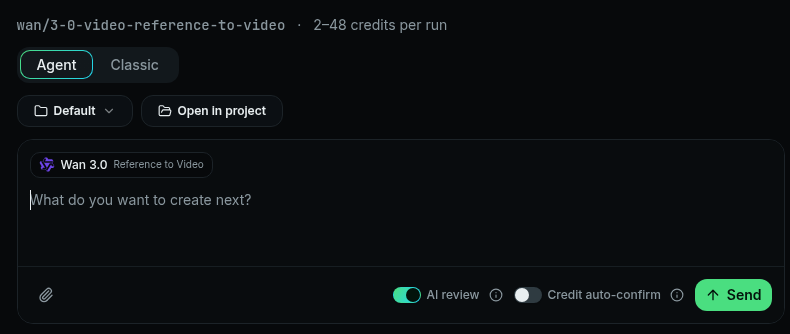
Agent mode interface
If you would rather not fill the Classic form by hand, use Agent: upload your subject photo and a Wipe Me Down reference video, then ask the Agent to replace the dancer in the video with the subject in your photo.
Recommended workflow
Open PoloX and switch to Agent (not Classic).
Upload a clear subject photo (yourself, a friend with consent, or a pet) and a reference Wipe Me Down dance clip you are allowed to use.
Send a short instruction, for example: Replace the person in this video with the subject in my photo. Keep my face, hair or fur, and clothes. Keep the dance moves, timing, and camera work from the video.
When the Agent asks which model or resolution to use, pick what you want (Wan 3.0 Reference to Video fits this trend) and confirm.
If the result is off, keep chatting to refine. Only go back to Classic for full manual field control.
Method 3: Use the Official Skill Directly (Fastest)
One-stop entry: Wipe Me Down Dance AI
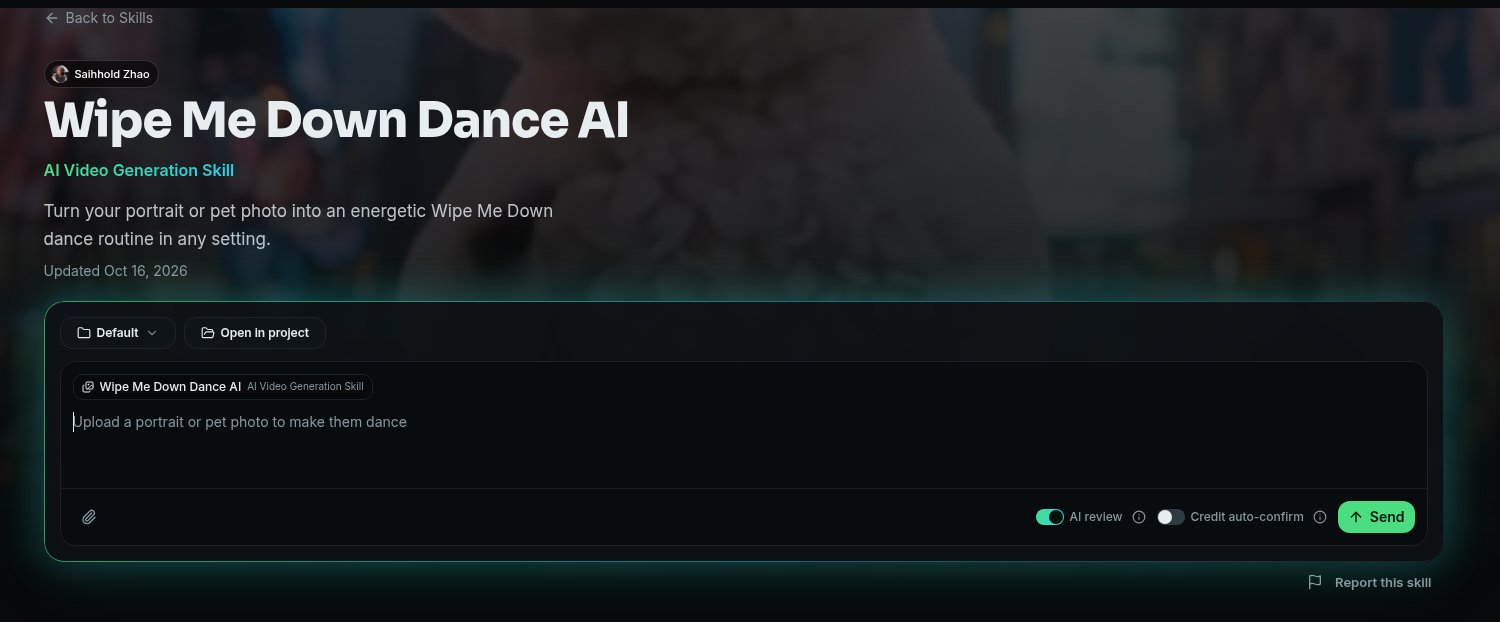
Wipe Me Down Dance AI skill page
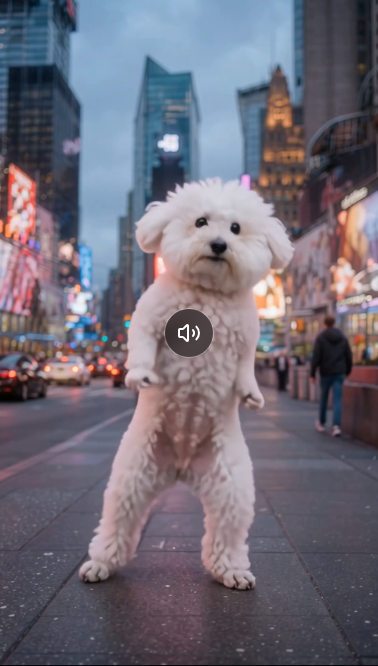
Skill example result: Bichon Frise dancing in Times Square
Skill page highlights
What it does: Turns a portrait or pet photo into an energetic Wipe Me Down dance routine in a setting you choose.
What you need: One clear photo (JPEG / PNG / WEBP / BMP, up to 20MB).
What you choose: Setting (cozy room, tropical beach, Times Square, neon cyberpunk street, luxury penthouse balcony, or custom) and resolution (480P / 720P / 1080P).
What the skill fixes: Audio on, duration about 10 seconds, adaptive aspect ratio.
Underlying model: Wan 3.0. Skill FAQ reference costs for the fixed 10s clip: 480P ≈ 7 credits, 720P ≈ 8 credits, 1080P ≈ 16 credits (always trust the live estimate in the product).
Steps
Open the skill page and start the chat / generation flow.
Upload the subject photo (the skill demo even shows a Bichon Frise dancing in Times Square).
Choose setting + resolution.
Confirm, wait, download, share.
Perfect when you just want to jump on the trend. Fine-tune in Agent chat afterward; only go back to Classic when you need a custom reference clip or full prompt control.
Tips (to Make the Result Feel Like the Meme)
Photo: One subject, clear face, no heavy sunglasses/masks; full-body or waist-up beats a passport crop.
Clothes: Everyday outfits (or Halloween costumes) are usually funnier than forcing the pink trench coat — that coat belongs to the famous AI reference clip.
Setting: Times Square / neon street for night energy; cozy room / beach for softer remakes; custom text if you want a kitchen or party.
Copyright & likeness: Use your own photos or people/pets with clear consent. Do not use unauthorized celebrity likenesses for ads. PoloX's skill FAQ notes commercial use of a real person's likeness needs verified written consent.
Publishing: Label AI-generated content; credit the song and any specific creator you remixed; follow each platform's music rules (having audio on a download is not a music license).
Credits: Test at 480P first, then raise resolution.
How to Choose Between the Three Methods
Classic — Wan 3.0 R2V — write your own prompt, swap the reference video, control duration.
Agent — upload a subject photo and a Wipe Me Down reference video, then ask the Agent to replace the dancer. Pick a model or resolution when asked.
One-click Skill — Wipe Me Down Dance AI — fastest trend jump: photo + setting + resolution.
Whichever path you take, the core is the same: a clear subject photo + Wipe Me Down choreography + audio on. Try one through any entry above — and when you remix someone else's clip, leave their name and link so the next person can find the source too.