

SuperMaker AI brings image, video, music, and voice generation together with templates, tools, and workflows on a single platform. For me, the value of a product like this depends on more than how many models it offers. It also comes down to whether I can get something done with fewer page changes and less repetitive work.
For this review, I explored the homepage, model selection, Effects, Tools, Workflow / Studio, AI Chat, and voice generation from the perspective of both a user and a product manager. My overall impression is that the feature set is broad and Workflow has a solid foundation, but the different parts do not yet come together as a coherent creative experience. The areas I most want to see improve are AI Chat's ability to carry a task through multiple steps and its integration with the existing infinite canvas.
1 Homepage Experience
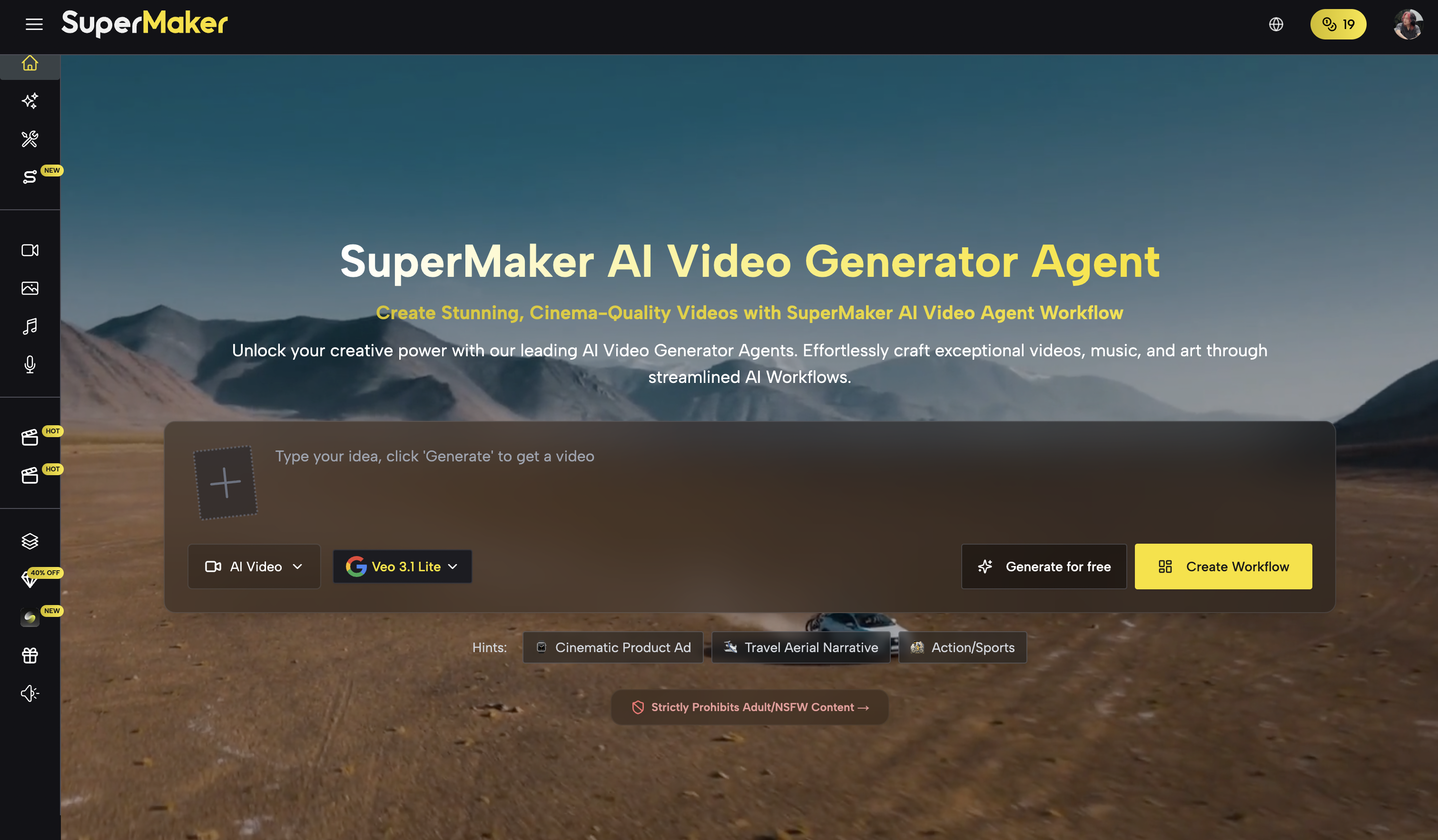
The AI generator input is the most prominent element on the homepage. Users can switch between video, image, music, and voice generation. It is a straightforward design: someone who wants to generate something can start without first reading a lengthy product introduction.
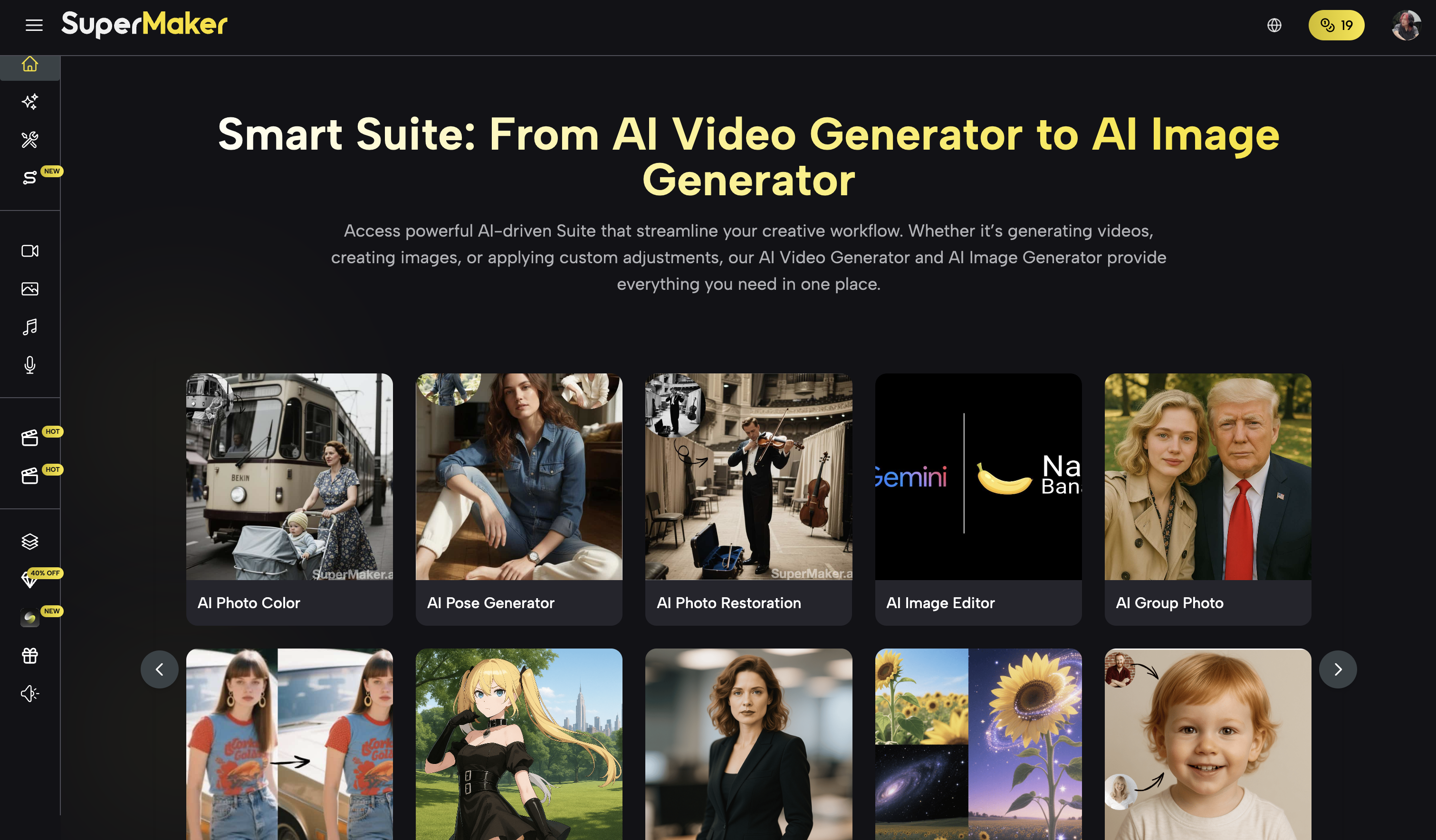
Scroll down and you find image filters, video templates, and tools for video enhancement, virtual try-on, image expansion, portrait generation, and more. Further down are longer feature descriptions. There is plenty here, but I also found it a little overwhelming. With so many entry points and explanations, it is not clear what is most worth trying first.
When I clicked the homepage's Customizable AI Workflows feature, I landed on a traditional video generator rather than the workflow interface I expected. That was the navigation experience I encountered at the time; it does not mean the product lacks Workflow. When I later opened
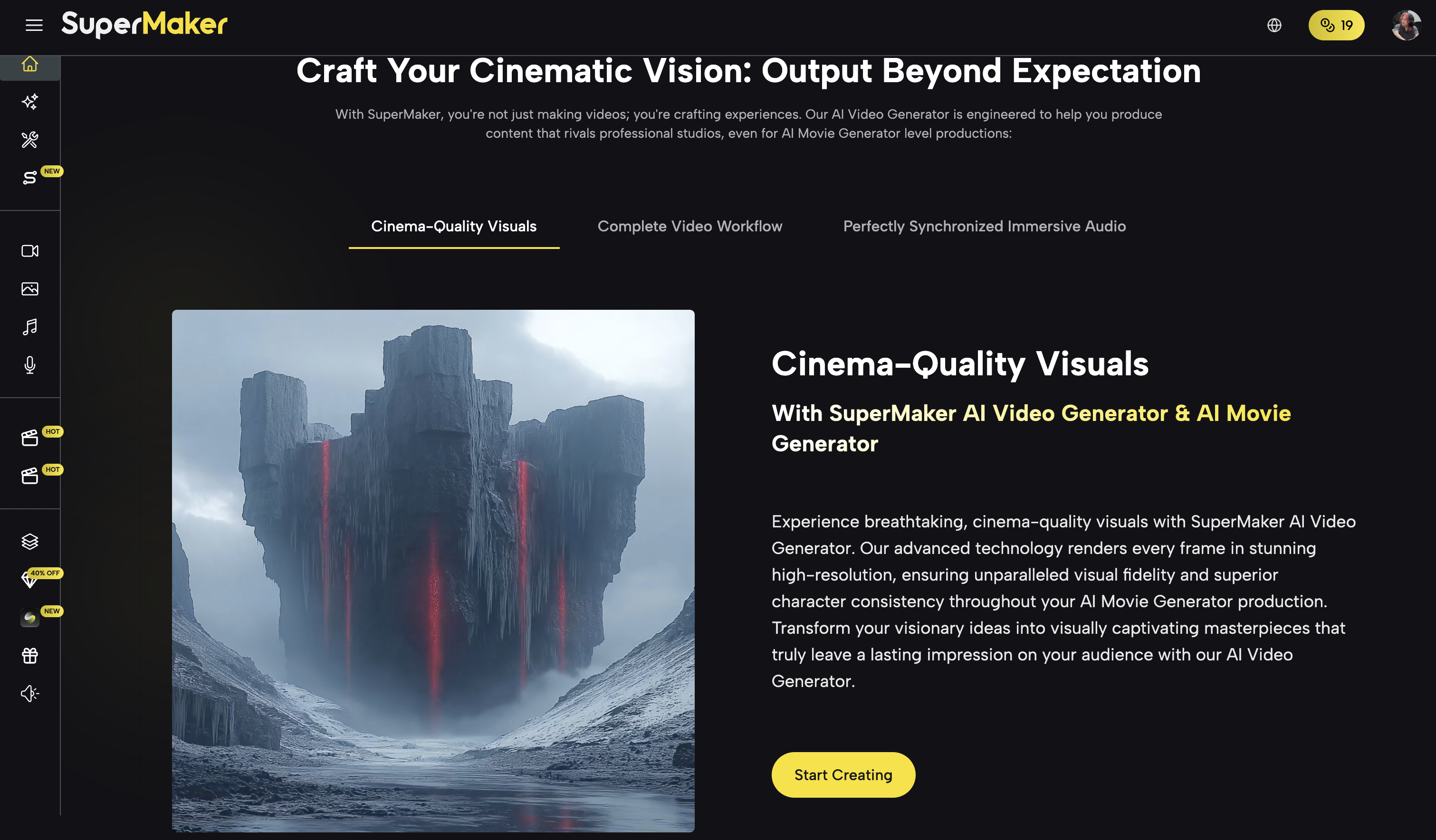
Studio, it did have a node-based infinite canvas. A mismatch between a feature description and its destination makes the product harder to understand.
AI Chat has a similar discoverability problem. I missed it on my first visit and only later realized that SuperMaker already had a conversational creation page. SuperMaker already offers AI Chat, but its homepage entry point and guidance are not prominent enough. For a feature intended to make creation easier, helping people discover it is part of the experience.
From a product design perspective, I would give the homepage a clearer focus. Direct generation, conversational creation, and workflows should be easier to distinguish as the main ways to get started. Longer explanations could live on model pages, tool pages, or dedicated landing pages. Some homepage copy may serve an SEO purpose, but during my visit, part of it got in the way of finding features.
2 Model Selection
Model coverage is one of SuperMaker's clearer strengths. Based on the pages I recorded during this review, the video options included Google Veo / Gemini Omni, Seedance, LTX, PixVerse, HappyHorse, Wan, Kling, Grok, and SuperMaker-branded models. Image options included Nano Banana, GPT Image, Seedream, Grok Image, Z-Image, Midjourney, and Flux.
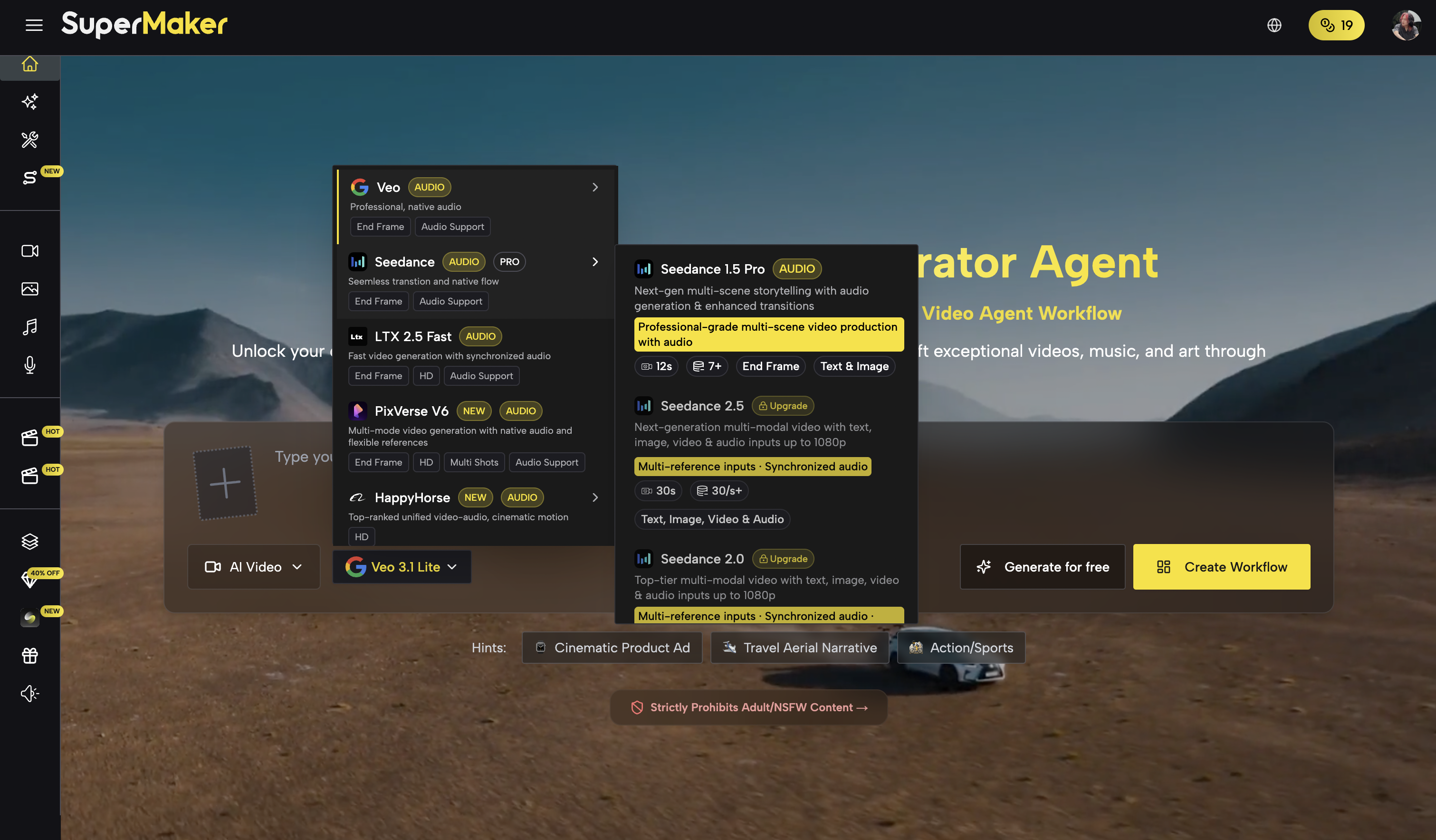
These are the names the platform displayed at the time. I did not test every model individually, and this list is not a judgment about how they are integrated behind the scenes. Check the official website for current versions, access restrictions, and availability. For music and voice generation, I did not see the underlying models clearly identified.
If you want to try different models in one place without signing up for and managing several platforms, this approach is convenient. However, many newer models required a subscription upgrade when I tried the product. Account permissions and credit allowances therefore affect how thoroughly a new user can compare results.
I would not judge the product by a long list of model names alone. More models mean more choice, but they also introduce decisions: which model should I use for this task, how do the options differ, and should I switch models or change the prompt after a poor result? The value of bringing models together becomes clearer when the platform helps users make those decisions.
What matters more to me is whether the platform connects model selection, asset processing, and the next steps in creation. That is why I pay more attention to Workflow and AI Chat later in this review.
3 AI Effects
AI Effects packages predefined creative approaches into accessible starting points. Users choose an effect, upload an asset, and try it without developing a prompt from scratch. The implementation might involve prompts, model settings, or preset workflows; the interface alone does not establish that every effect is simply the same kind of template.
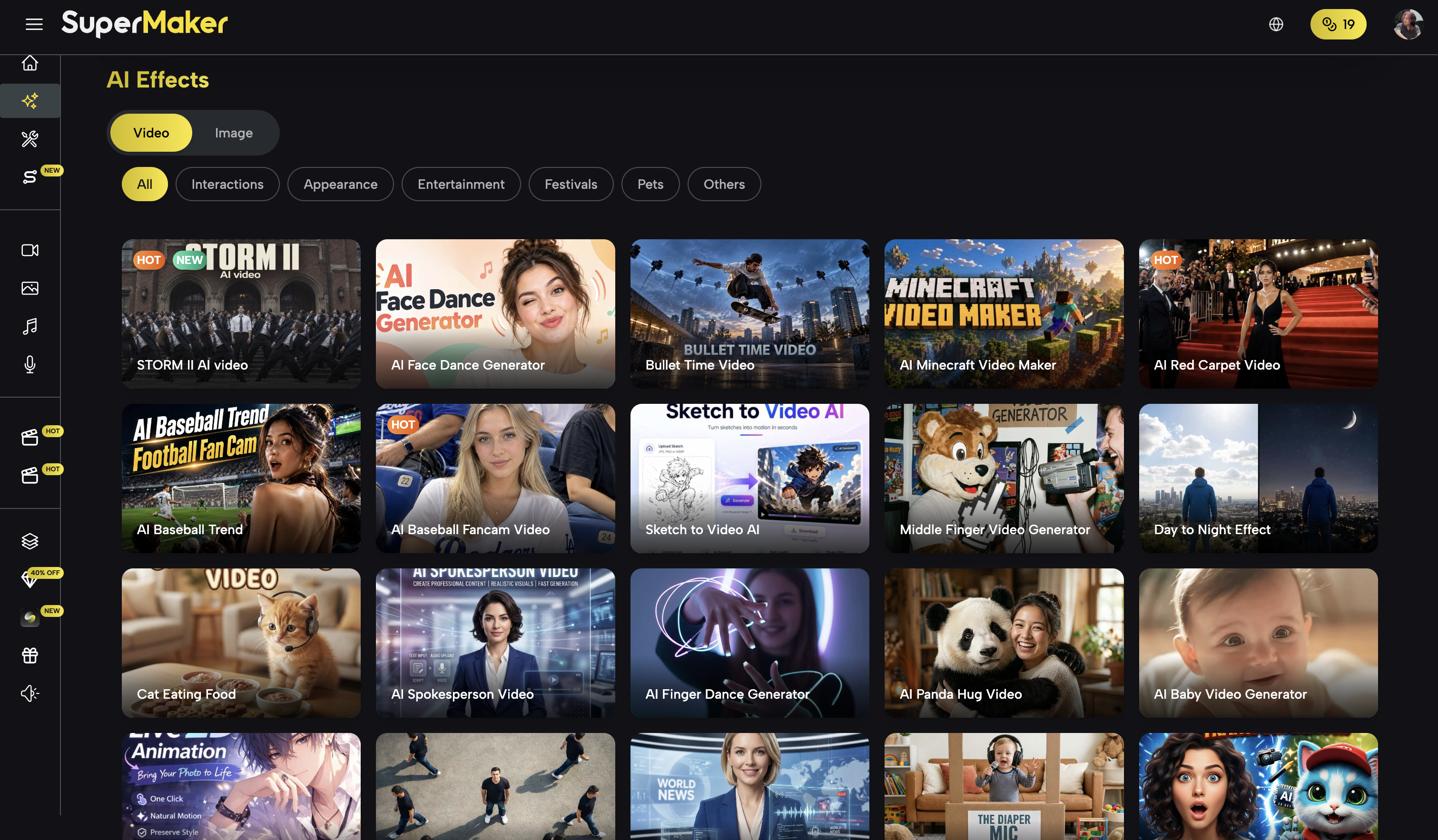
The pages I recorded showed a fairly broad range of effects, covering interactions between people, appearance changes, entertainment, holidays, and pets. Examples included AI Talking Photo, AI Hug, Photo to Dance, AI Anime Video, and Pet Interview, alongside Disney-style effects, hairstyle changes, and avatar and tattoo generation. The appeal is immediate: you can see the intended effect before deciding whether to try it.
I am more interested in how that content is produced. The Effects I saw were mainly presets supplied by SuperMaker, and I could not find a way for users to create and publish their own templates. That makes quality easier to control, but it also means the team must keep tracking trends, designing effects, testing them, and maintaining the library.
If I were planning this area, I would consider gradually opening it to user contributions. People could save effects they have refined as templates and publish them for others to use. Creator profiles, usage counts, or revenue sharing could follow if there is demand; the first version would not need to be elaborate.
This would also require moderation and quality control. Done well, though, it could turn Effects from a company-maintained library into a place people return to for new ideas and to share their work. I think that is more worth exploring than simply adding more templates.
4 AI Tools
AI Tools focuses more on specific tasks. The features I recorded included Pose Reference AI, Custom Font Generator, AI Product Photo Generator, AI Storyboard Generator, AI Product Background Generator, Virtual Ring Try On, AI Video Upscaler, Website to Video AI, and PDF to Video, as well as batch image generation, background removal, image expansion, and image editing.
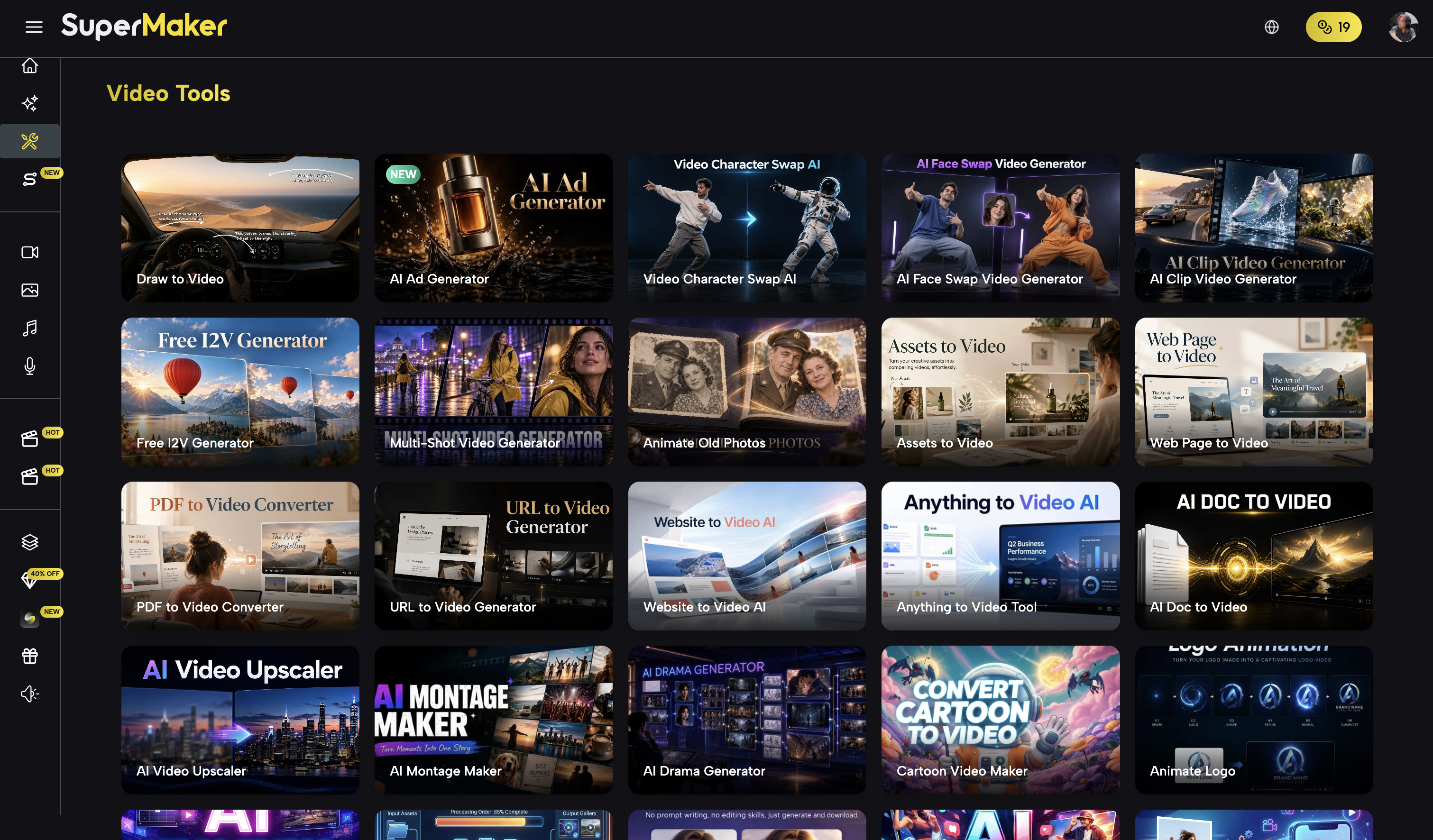
These cover a range of needs in e-commerce content, design, marketing, and video production. For someone who needs one particular operation, going straight to the relevant tool is easier than figuring out the settings in a general-purpose generator. Nor should every Tool be treated as just a prompt template: background removal, enhancement, and cropping address different tasks.
The boundary between Tools and Effects is somewhat unclear, however. For example, I also found AI Purikura Filter, which feels more like an entertainment effect, under Tools. Users may not care about the platform's internal categories, but they do care about where to find the feature they need.
I would lean toward keeping Effects focused on entertainment, social content, and template-based experiences, with Tools focused on specific processing tasks. Features that fit both could appear through shared search results and tags. The aim is to make features easy to find and understand, rather than insist that each one can exist in only one category.
Beyond that, a tool's value also depends on whether it can be used directly within the creative process. If I generate an image and then have to find another tool, upload the image again, and bring the result back, the overall process still feels fragmented even if each feature works on its own.
5 AI Workflow and Studio
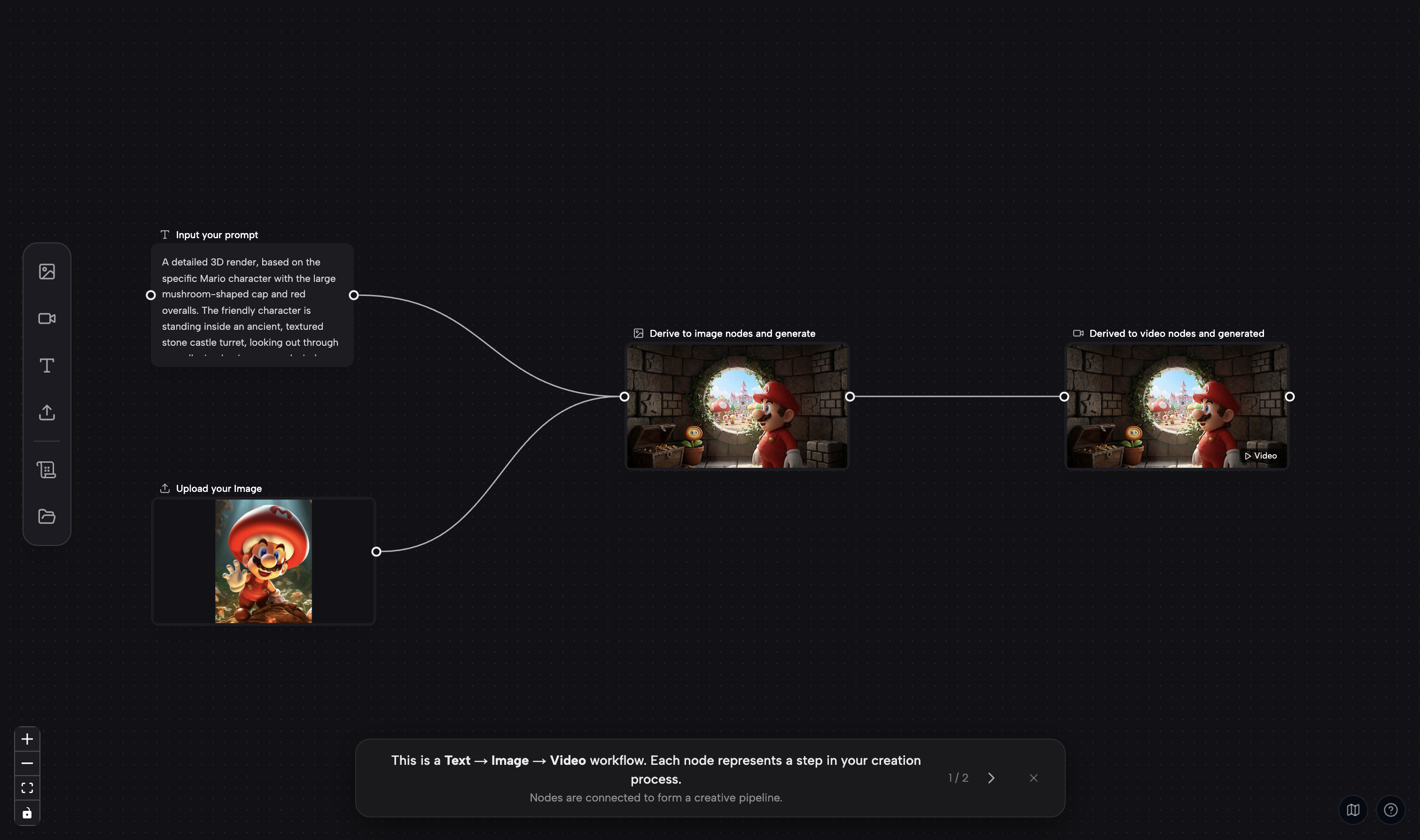
Workflow / Studio was one of the more promising parts of my experience. It already provides a node-based infinite canvas, similar to ComfyUI, where users can connect steps into reusable visual creation workflows.
Nodes and Asset Organization
The node types I saw included Prompt, AI video generation, AI image generation, and uploaded attachments. Users can place prompts and assets on the canvas and connect nodes to show how they relate.
For generating a single image, this interface may not be any simpler than a standard form. It becomes more useful when a project involves repeated image edits, video generation, and multiple versions. Assets and intermediate results are visible together, making it easier to understand what input a particular step used.
Continuing to Edit on the Canvas
Selecting an asset on the canvas opens a toolbar with options such as Outpaint, cropping, Quick Split for layer separation, background removal, image enhancement, and 3D Camera. I found this convenient because a generated asset stays in the same creative environment for further work.
One point deserves emphasis: SuperMaker already has an infinite canvas, so adding a Canvas should not be presented as a capability it has yet to build. Its existing Workflow provides a foundation for ongoing creation, with room to expand the available nodes and editing tools.
What I really want is for it to connect with AI Chat. Manually linking nodes suits people who want precise control, while natural language suits people who want to express a goal quickly. Both approaches could work together within the same project.
6 AI Chat and Agent
AI Chat lets users describe what they want to create in natural language. That is a more direct way to express a goal than first choosing a media type, selecting a model, and filling in settings. I support the direction, but my experience raised two separate questions: can the Agent carry a task through to completion, and can it work with the existing Workflow?
My Puppy Generation and Background Removal Test
I asked AI Chat: “First generate a puppy, then use the background removal tool to remove the background, leaving only the puppy.”
The request has a clear sequence. I expected it to:
· Generate an image of a puppy.
· Take that result and pass it to Remove Background.
· Return the image with the background removed and only the puppy remaining.
In the actual test, it generated a puppy but did not go on to call Remove Background. The remaining step was not completed. The task therefore did not produce the final result I had requested.
The shortcoming this exposed was its ability to recognize multiple steps within a request and use the output of one step as the input to the next. For an Agent, I judge success by whether the task is actually completed, rather than whether the product has a chat interface.
A single test does not establish that it will fail at every task, nor does it identify whether the problem lies in planning, tool integration, or execution. But based on the result I could observe, there is still a shortfall in multi-step task planning, continuous execution, and tool calling. At a minimum, this explicit two-step request was not carried out in full.
If a tool cannot be called, I would also want the system to explain that limitation and preserve the asset it has already generated so I can continue easily. Stopping after the first step leaves users unsure whether their instructions were missed or the system reached a capability limit.
AI Chat Is Not Integrated with the Existing Infinite Canvas
The second issue is that AI Chat's results mainly stay in the conversation, while Workflow's infinite canvas remains a relatively separate experience.
A chat history is adequate for one or two images. Once a project contains a dozen images, videos, and different versions, scrolling back and forth becomes inconvenient. It is difficult to see at a glance which assets are originals, which are intermediate results, and which version was used in the next step.
That feels like a missed opportunity because SuperMaker already has a canvas suited to organizing this information. The issue is that AI Chat / Agent has not been meaningfully integrated with Workflow's infinite canvas. Making users bridge the two interfaces themselves reduces the convenience the features could provide together.
7 Product Integration and What I Would Improve
By this point, my main impression was that Workflow has a Canvas, Chat has an Agent, Effects has plenty of templates, Tools has a range of processing functions, and many models sit underneath them all. Yet these capabilities do not quite add up to a unified creative experience.
This goes beyond page layout. It involves how the same asset moves between features, how those features share context, and how much extra work users must do between making a request and receiving a result. From a product manager's perspective, there is room to improve product planning and feature integration.
My preferred approach would have the Agent and canvas work on the same project. The Agent would interpret the goal, break it into steps, and call tools. The canvas would show the process, organize assets, and let users step in and make changes at any time.
For example, I would like to be able to ask, “Generate a puppy, remove the background, and then make a five-second video based on that puppy.” This is an example of the experience I would like to see, not a task successfully completed in this review. As the system works, each step's inputs and outputs would appear on the canvas. I could adjust the request through chat or select an image and edit it manually.
With that in mind, I would prioritize the following improvements:
· Have AI Chat recognize multi-step requests, show progress, and explain why it cannot continue when it gets stuck.
· Let chat and the canvas share project assets so generated results can be processed further without extra handoffs.
· Bring Tools, Effects, and model selection into the same creative workflow to reduce repeated uploads and page changes.
· Clarify the homepage and feature categories so users know where to start and what they can do next.
This does not require squeezing every feature into a single interface. Standalone tool pages can remain. What matters is that the same task can continue smoothly across different entry points. I would rather see the existing capabilities connected first than simply see more models or templates added.
8 AI Voice Maker
AI Voice Maker is a separate voice generation page. When I tried it, I mainly saw preset voices supplied by SuperMaker, with a fairly limited selection. I could not find an option to clone my own voice. That describes what I saw at the time; the current page should be checked for later additions or differences between accounts.
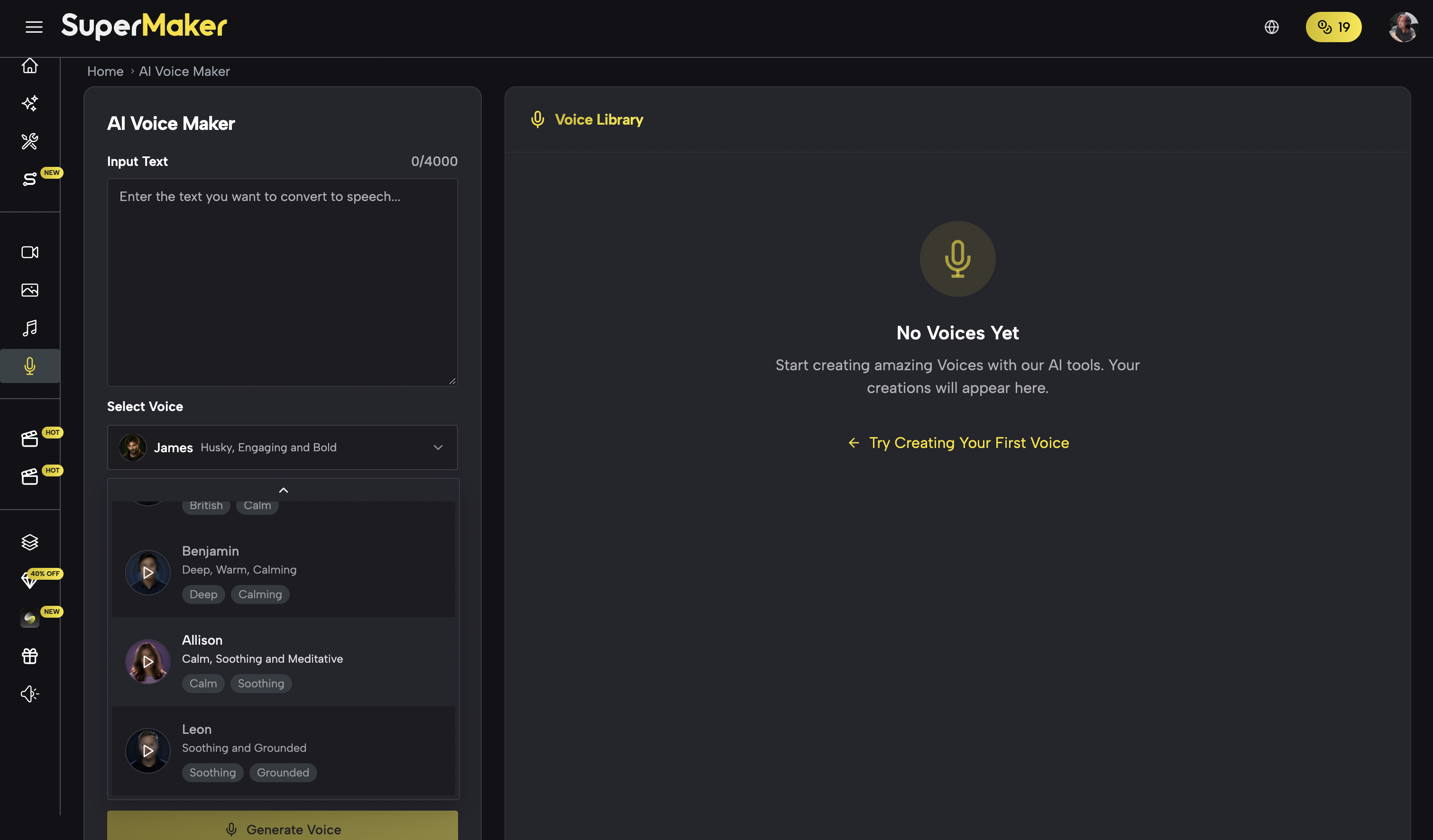
This part made less of an impression on me than image generation, video generation, and Workflow. It offers a starting point for a simple voiceover. For tasks with higher expectations around voice style, consistency, or personalization, I would need to see a broader set of options before making a fuller assessment.
I would be more interested in voice capabilities as part of the video creation process: creating visuals, generating narration, adjusting the voiceover, and adding lip sync where needed. If voice generation remains a standalone page, its value within the broader creative process is harder to realize.
9 Pricing and Free Credits
Based on my notes from the review, SuperMaker offered subscriptions and credit-based payment options, along with free credits through check-ins. Plan prices, credit amounts, expiration rules, model access, and promotional terms can change. Refer to the official website and the checkout page for current details. I am not treating the prices in my original notes as current quotes.
What matters most to me about the payment experience is how easy it is to try the product. Many models required an upgrade when I used it. If people encounter a paywall before trying the model they care about, it becomes difficult to decide whether paying is worthwhile. A lack of small credit top-ups for light experimentation could also put off occasional users.
Free credits help lower that barrier and give people a reason to return. But whether those credits unlock the desired model, and how many generations they cover, depends on the specific rules. The number of free credits alone does not tell you how useful the trial will be.
From a product planning perspective, I understand the tradeoff. Generation costs money, particularly for video, and a platform cannot support unlimited free use. Still, I would prefer a trial that lets a new user complete one representative task, from generation through processing to export, so they can judge both the result and the experience for themselves.
That is why I would not call the service cheap or expensive based only on the price of a Credit. For me, the more useful questions are how many credits a real task consumes, how many retries it takes, and whether the final result is usable. Before paying, users should also check model access, output specifications, and credit rules, rather than compare plan prices alone.
10 Final Thoughts
Overall, SuperMaker AI covers a broad range of functions. Its model selection makes it convenient to try different generation capabilities in one place. Effects makes preset creative approaches easier to use, Tools provides many specific operations, and Workflow / Studio already offers a node-based infinite canvas with a foundation for further asset editing.
My reservations are also clear. AI Chat is not easy enough to discover. In my puppy-and-background-removal test, it did not continue with the required tool call. The existing Agent and Workflow canvas are not well integrated, and some overlap between Effects and Tools adds to the fragmented feel.
If you want one platform for trying different models, effects, and individual tools, I think it is worth exploring. If you expect a single request to reliably produce a complete, multi-step creative result, you should test it against your own tasks. Pay particular attention to whether it follows through on subsequent processing, rather than only whether the first generation succeeds.
The possibility of combining Workflow with AI Chat remains the part I find most promising. One can make the process visible and organize assets; the other can make it easier to operate. Connecting them, and bringing the existing Tools, Effects, and models into that shared process, would make the product feel more complete than adding more separate entry points.
For SuperMaker's next stage, I would look for more reliable task execution and smoother feature integration. It already has plenty of capabilities. If the path from an idea to a usable result becomes more coherent, I would be more inclined to use it for ongoing creative work. When a significant update arrives, I will try it again and see how many of these issues have been resolved.