Back to Skills
Buzz Cut Filter
SZSaihhold Zhao

Buzz Cut Filter

AI Image Generation Skill

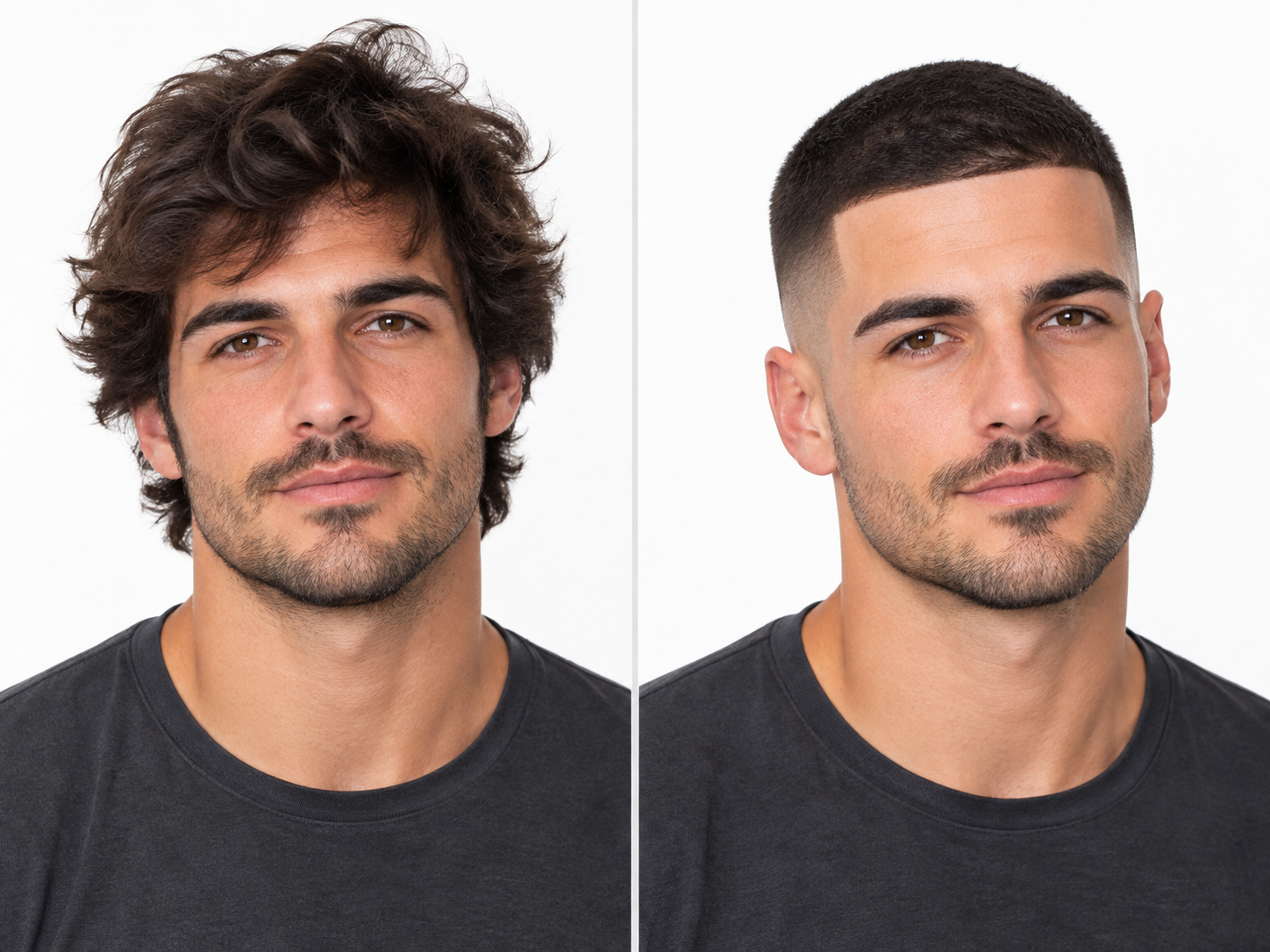
Transform any portrait photo into a realistic buzz cut or fade hairstyle while preserving your natural facial features.

Updated Oct 6, 2026

About

Upload your portrait to try out ultra-short hairstyles without touching a clipper. You select your preferred cut, hair color, and facial hair grooming to preview how you would look with a crisp cropped style.

Powered by GPT Image 2.5 Flare, the transformation renders authentic scalp texture, follicle density, and clean lineup edges while keeping your facial identity, expressions, and clothing intact.

Workflow

  1. Upload your portrait

    Provide a clear portrait photo showing your face and hairline with good lighting.

  2. Choose your cut and grooming

    Pick your preferred buzz cut type, such as a skin fade, classic induction cut, or textured crop, along with hair color and beard styling.

  3. Generate your buzz cut preview

    PoloX uses GPT Image 2.5 Flare to apply your chosen crop, creating authentic scalp texture and clean hairline lineups while maintaining your natural likeness.

  4. Review the transformation

    Inspect your new buzz cut portrait with seamlessly blended fades, authentic stubble detail, and untouched original background elements.

See it in action

Real Buzz Cut Filter conversations, from the request to the finished result.

Example 1

SZSaihhold Zhao

A user uploaded a portrait of a streamer with long, pink-highlighted hair and requested a jet black skin fade buzz cut. The skill delivered a clean buzz cut with sharp faded sides while preserving his exact facial features, outfit, and neon-lit room.

Input

A young Asian man with medium-length wavy dark hair and bright pink front highlights, sitting in a black gaming chair in a neon-lit room.

Result

The same young Asian man wearing a black blazer, now sporting a sharp jet-black buzz cut with a high skin fade, seated in his gaming room.

Full conversation

Choose your preferred buzz cut style and grooming details for this portrait:

Saved

Hairstyle

Skin Fade Buzz Cut

Hair Color

Jet Black

Grooming

Preserve Original Grooming
Frequently asked questions

How to see what you look like with a buzz cut from a photo?

Start the Buzz Cut Filter and upload a clear portrait photo. Next, choose your preferred buzz style, hair color, and facial hair grooming preferences, or enter custom choices. The skill then generates a realistic image of you with your selected buzz cut while keeping your natural facial features, clothing, and background intact.

What does the Buzz Cut Filter do?

It applies a virtual haircut try-on to your portrait, turning long or medium hair into a realistic buzz cut or fade. The resulting image maintains your original facial identity, skin texture, expression, and background at 1K resolution.

What kind of photo should I upload?

Upload a clear front-facing or three-quarter portrait photo with good lighting. Supported image formats include JPEG, PNG, or WEBP up to 30MB.

What hairstyle and grooming options can I choose?

You can pick buzz styles like a Skin Fade Buzz Cut, Classic Military Induction Cut, Textured Crop Buzz, or specify a custom guard length. You can also select your hair color (keep original, bleached blonde, jet black, or custom) and match your facial hair (preserve original, faded beard match, clean-shaven, or custom).

How many credits does the Buzz Cut Filter cost?

Each image generation costs 1 credit. Up to 3 paid generations are allowed per run.

What happens if an image generation fails?

If a generation fails, the credits charged for it are automatically returned to your credit balance.

Can I use the generated buzz cut images commercially?

You may use generated content for commercial purposes subject to the Terms and applicable law. However, content involving a real person's likeness must not be used in advertising, promotional materials, or other commercial contexts without verified written consent.

See more Fun skills

PoloX AI is an AI creative workspace: chat with agents and work on an infinite canvas to generate images and videos, edit text in images, remove backgrounds, and more.

© 2026 PoloX AI. All rights reserved. polox.ai is a sub-brand of Vision Forge Co., Ltd.

VISIONFORGE CO., LTD — Registered address: 30 N GOULD ST STE R Sheridan, WY 82801.