
Image Background Removal
AI Image Generation Skill/image-background-removal
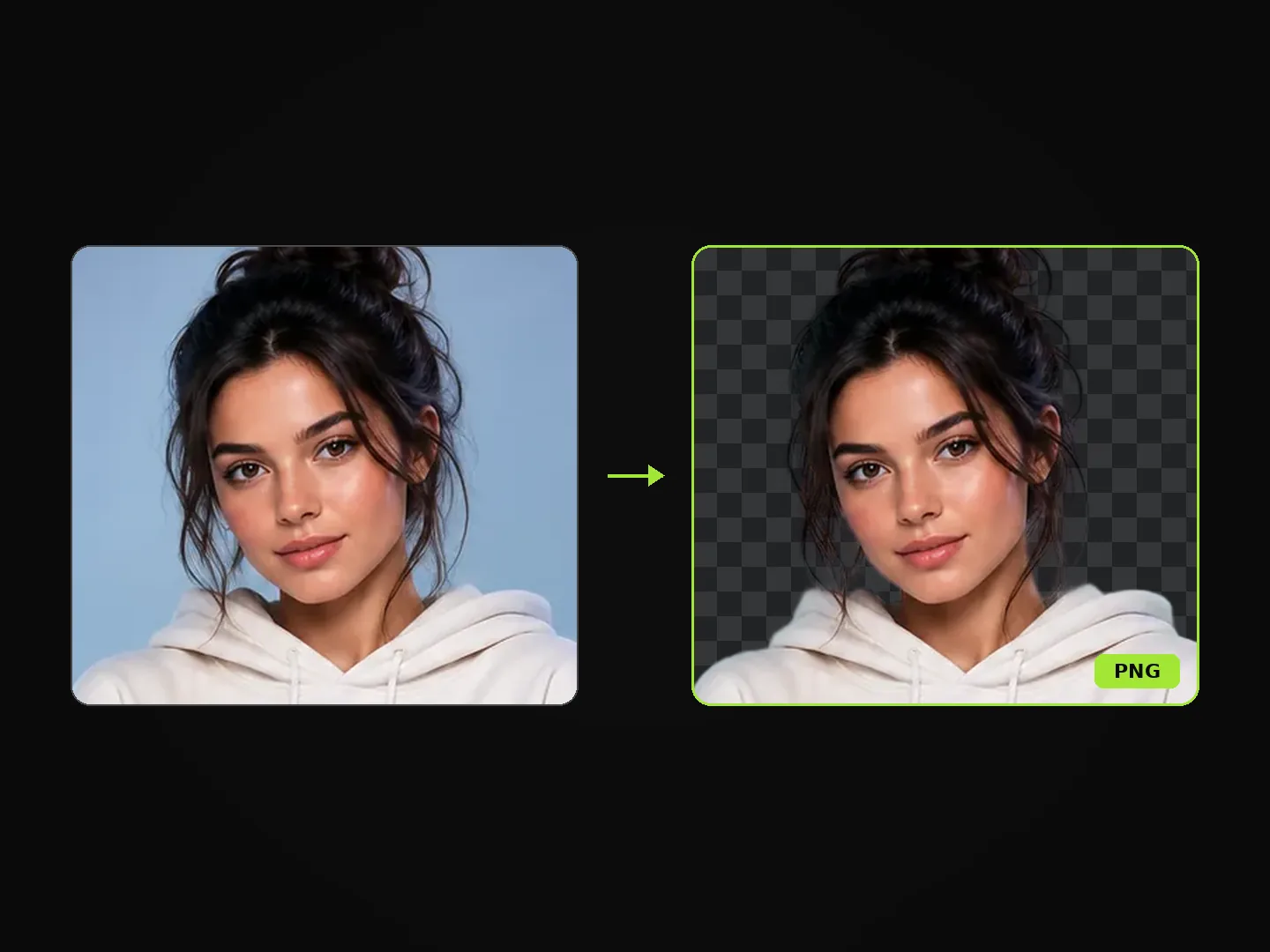
Remove the background from an image and keep the subject as a transparent PNG.
About
Cut away cluttered backgrounds from your photos in seconds while preserving fine edge details. Simply provide an image of a person, product, or object, and PoloX delivers a production-ready cutout with an alpha transparency layer.
Workflow
Upload your source image
Provide the photo or graphic you want to isolate by uploading a file or selecting a previous image from your session.
Extract the primary subject
PoloX detects the focal subject, separates foreground edges accurately, and removes the entire surrounding backdrop.
Download transparent PNG
Receive your finished subject cutout saved as a transparent PNG, ready for composite graphics, design projects, or web use.
- Model
- Image Background Removal: 1 credit per image
- Inputs
- Image, text
- Output
- Image
Frequently asked questions
How to remove the background from an image?
Start by opening the skill and uploading the source picture you want to cut out. The tool automatically isolates the main subject without requiring prompts or manual selections. Once processing finishes, you receive your subject as an image with a transparent background.
What does the Image Background Removal skill do?
It automatically removes the background from your uploaded picture while keeping the main subject intact. The final result is delivered as a transparent PNG.
What image formats and file sizes are supported?
You can upload images in JPEG, PNG, WEBP, GIF, or AVIF format, up to 10 MB per file.
Can I choose different styles or enter a prompt for the cutout?
No, this skill does not take prompts, creative options, or method selections. If you want to place the subject onto a new background, that is handled separately after the cutout is complete.
Can I replace the background in the same step?
No, this skill focuses strictly on cutting out the subject and delivering a transparent PNG. Adding a new background or making further modifications requires a separate image-editing request.
What happens if an image background removal task fails?
If a generation fails, the credits charged for it are automatically returned to your credit balance.
Can I use the cutout images for commercial purposes?
Yes, you may use content you generate on PoloX AI for commercial purposes, subject to the Terms and applicable law. However, content involving a real person's likeness must not be used in advertising, promotions, or commercial contexts without verified written consent.
Related skills
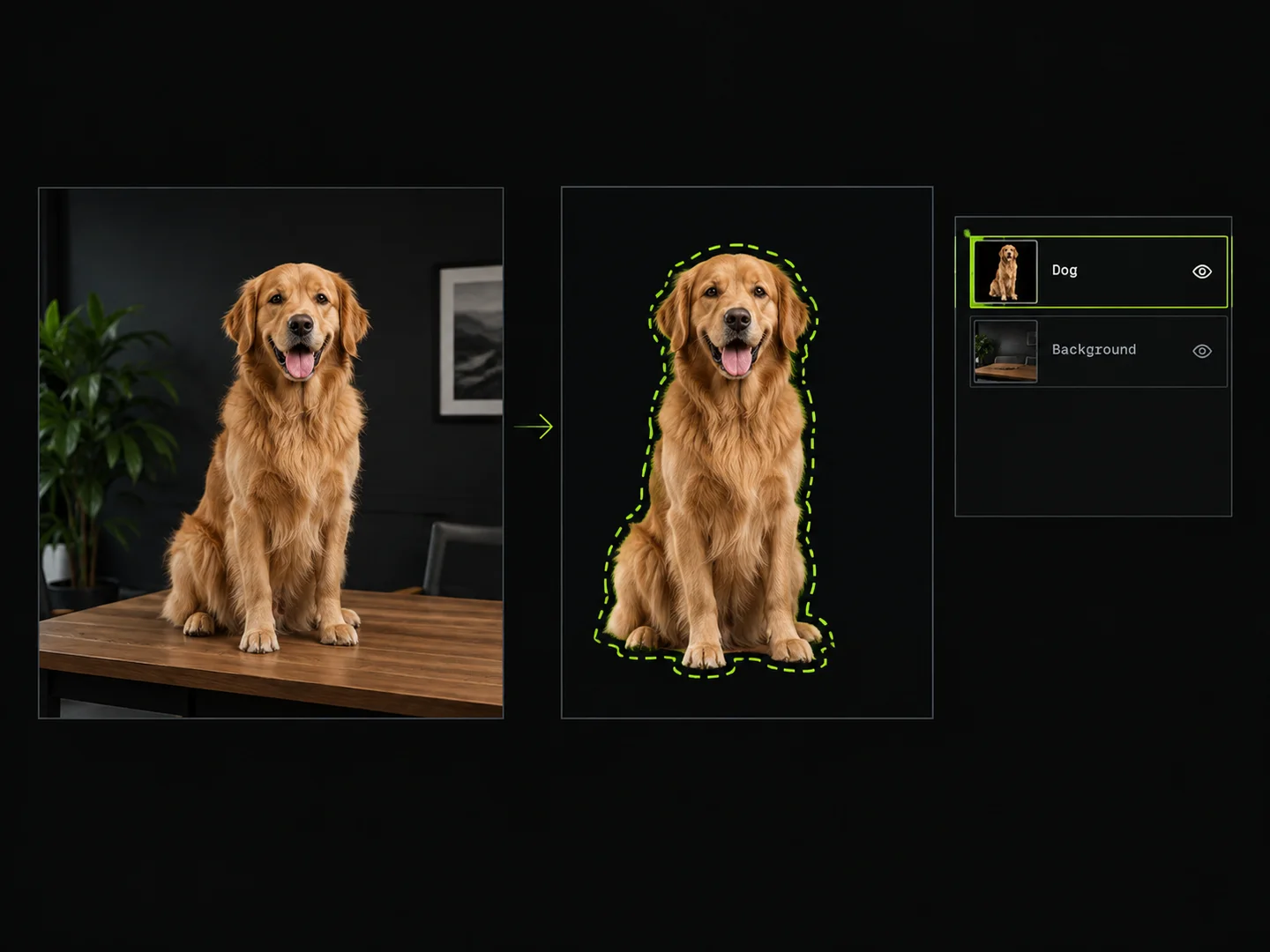 Image Layer SplitterDraw boxes around objects to extract them as separate transparent PNG layers.
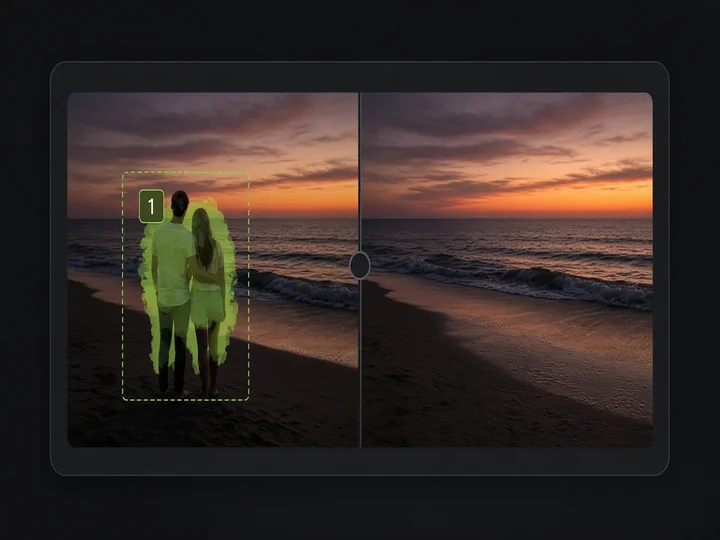 Image Object RemovalMark objects with boxes or masks and remove them while keeping the rest of the image.
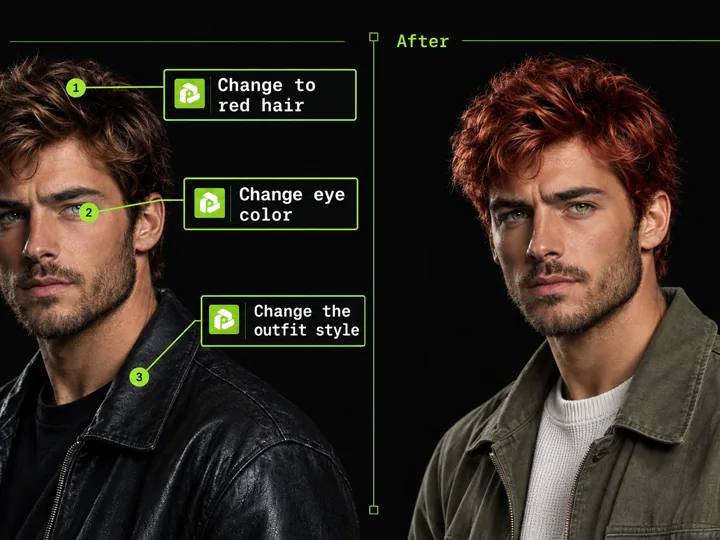 Annotated Image EditMark points on an image and describe each change to edit precisely.
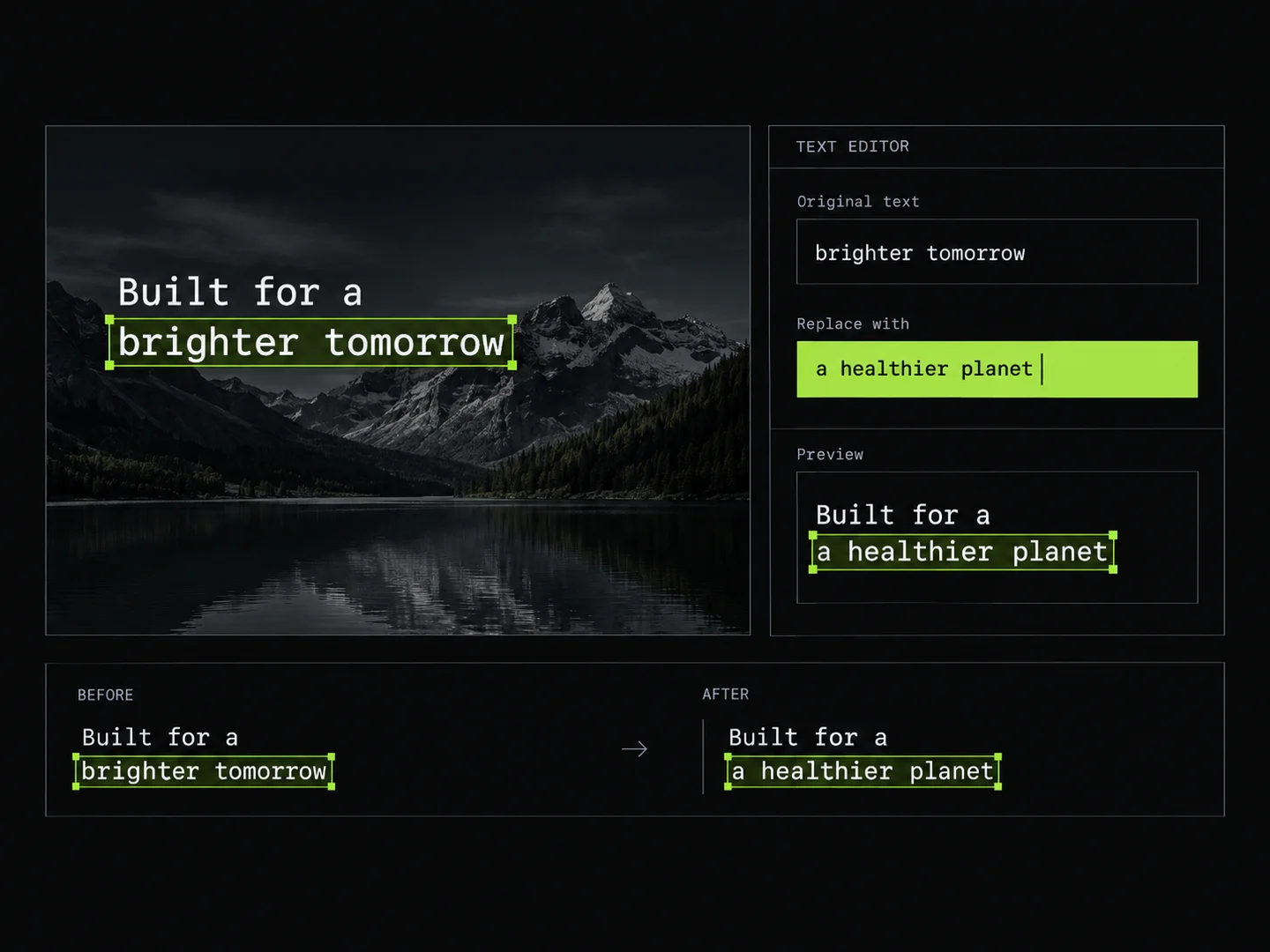 Image Text EditorEdit text in images by typing changes into detected text fields. PoloX rewrites only the text you change and keeps the rest of the image intact.
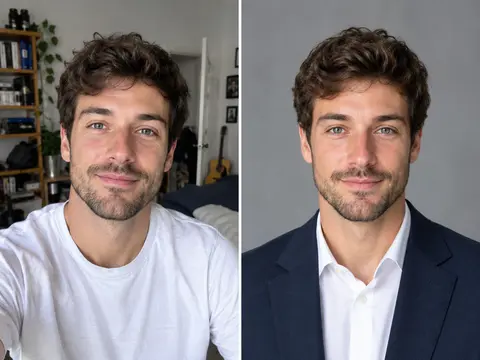 Career Portrait MakerCreate professional headshots from your own photo for work and job applications.
 Paper Cut Sticker PortraitTransform any photo into a handcrafted layered paper-cut sticker illustration with custom color vibes.