Back to Skills
Bangs Filter
SZSaihhold Zhao

Bangs Filter

AI Image Generation Skill

Transform any portrait photo with realistic bangs hairstyles, from wispy air bangs to chic curtain fringes.

Updated Oct 8, 2026

See it in action

Real Bangs Filter conversations, from the request to the finished result.

Example 1

SZSaihhold Zhao

A portrait of a young man with pink-streaked parted hair was updated with casual, side-swept ash bangs while preserving his facial features and the motion-blurred background.

Input

Portrait of a young Asian man in a black coat and turtleneck with pink-highlighted wavy hair, surrounded by motion-blurred figures.

Result

Restyled portrait of the young Asian man sporting textured side-swept ash bangs, retaining the original motion-blurred background figures.
Portrait of the young Asian man with casual side-swept bangs in an ash brown shade, isolated against a plain white background.

Agent creation process

Your current hairstyle features wavy, center-parted curtain locks with pink highlights exposing the forehead. Choosing an inward-curving fringe like comma bangs or a forward textured fringe will give you a striking, fresh contrast!

Saved

Bangs Style

Casual Side-Swept Fringe

Hair Color

Subtle Ash / Mocha Tint
About

Upload any selfie or front-facing portrait to try on a wide variety of bangs tailored to your facial features and current hairline. PoloX analyzes your existing hair and suggests flattering new fringe styles that offer a fresh, contrasting look.

You will receive a photorealistic portrait seamlessly integrating your chosen bangs into your natural hair, preserving your exact face, skin tone, lighting, and background.

Workflow

  1. Upload your portrait

    Provide a clear, front-facing selfie or portrait to evaluate your face shape and current hairstyle.

  2. Select a fringe style

    Pick from tailored styles like wispy air bangs, chic curtain fringes, or French crops, with matching hair tones.

  3. Generate your new look

    PoloX creates a realistic portrait with your new bangs, naturally blending strands while preserving your facial identity.

Model
Inputs
Image, text
Output
Image · 1K, 2K, 4K

Frequently asked questions

How to preview bangs on your photo?

Start by uploading a clear portrait or selfie showing your forehead and hairline. Next, choose your preferred fringe style and hair color preference, or enter a custom option. The skill will then generate a new portrait showing your selected bangs seamlessly blended into your hair.

What does the Bangs Filter do?

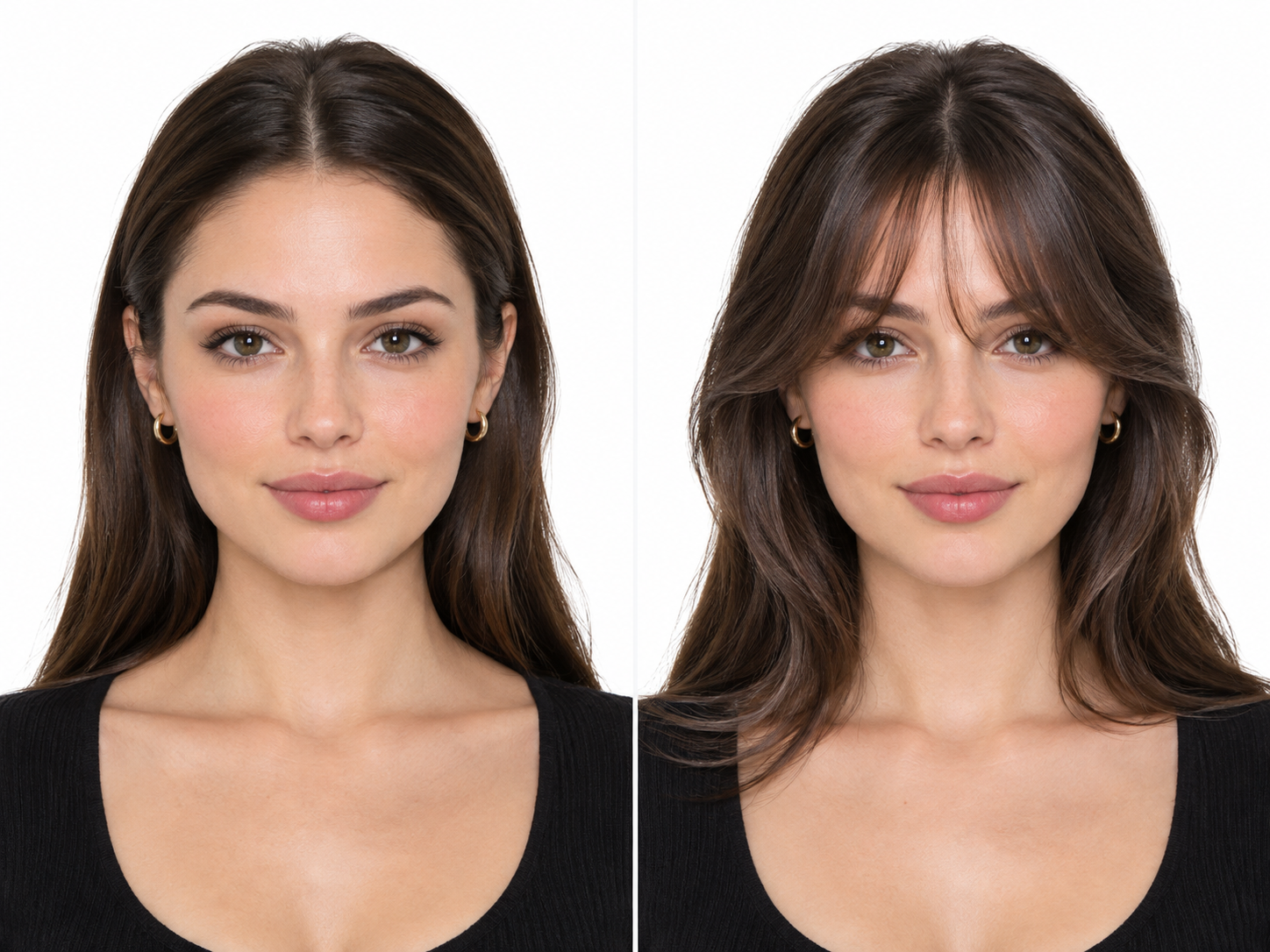
The Bangs Filter adds realistic bangs hairstyles to your portrait while keeping your natural facial features, skin texture, expression, and background intact. You receive an updated portrait image displaying the chosen fringe style.

What photos should I upload for the Bangs Filter?

You need to upload a clear front-facing portrait or selfie with your forehead and hairline visible. Supported file formats are JPEG, PNG, or WEBP, up to 30MB in size.

Which bangs styles and customization options are available?

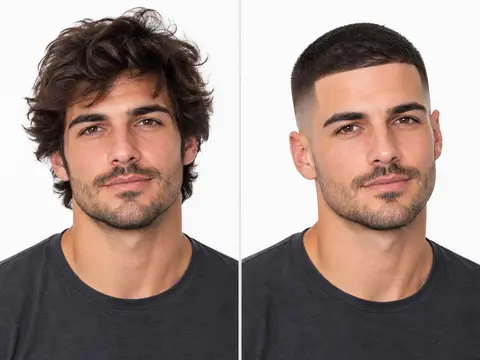
Depending on the detected portrait, options include styles like Wispy Air, Chic Curtain, French, Blunt Straight, Choppy Micro, and Side-Swept bangs for female portraits, or French Crop, Comma, Messy Curtain, Light Wispy, and Casual Side-Swept fringes for male portraits, plus custom styles. Hair color can auto-match your existing shade, use a subtle warm or ash tint, or follow custom color requests.

How many credits does the Bangs Filter cost?

Generating an image with the Bangs Filter costs 1 credit per generation.

What happens if an image generation fails?

If a generation fails, the credits charged for it are automatically returned to your credit balance.

Can I use the generated images commercially?

You may use content generated on PoloX AI for commercial purposes under the Terms and applicable law. However, content involving a real person's likeness must not be used in advertising, promotional materials, political campaigns, or any other commercial context without verified written consent.

See more Fun skills

PoloX AI is an AI creative workspace: chat with agents and work on an infinite canvas to generate images and videos, edit text in images, remove backgrounds, and more.

© 2026 PoloX AI. All rights reserved. polox.ai is a sub-brand of Vision Forge Co., Ltd.

VISIONFORGE CO., LTD — Registered address: 30 N GOULD ST STE R Sheridan, WY 82801.