
Point-based Image Editor
Click points on your photo, add a short note each, and generate. Precise local edits without long prompts.
Source image
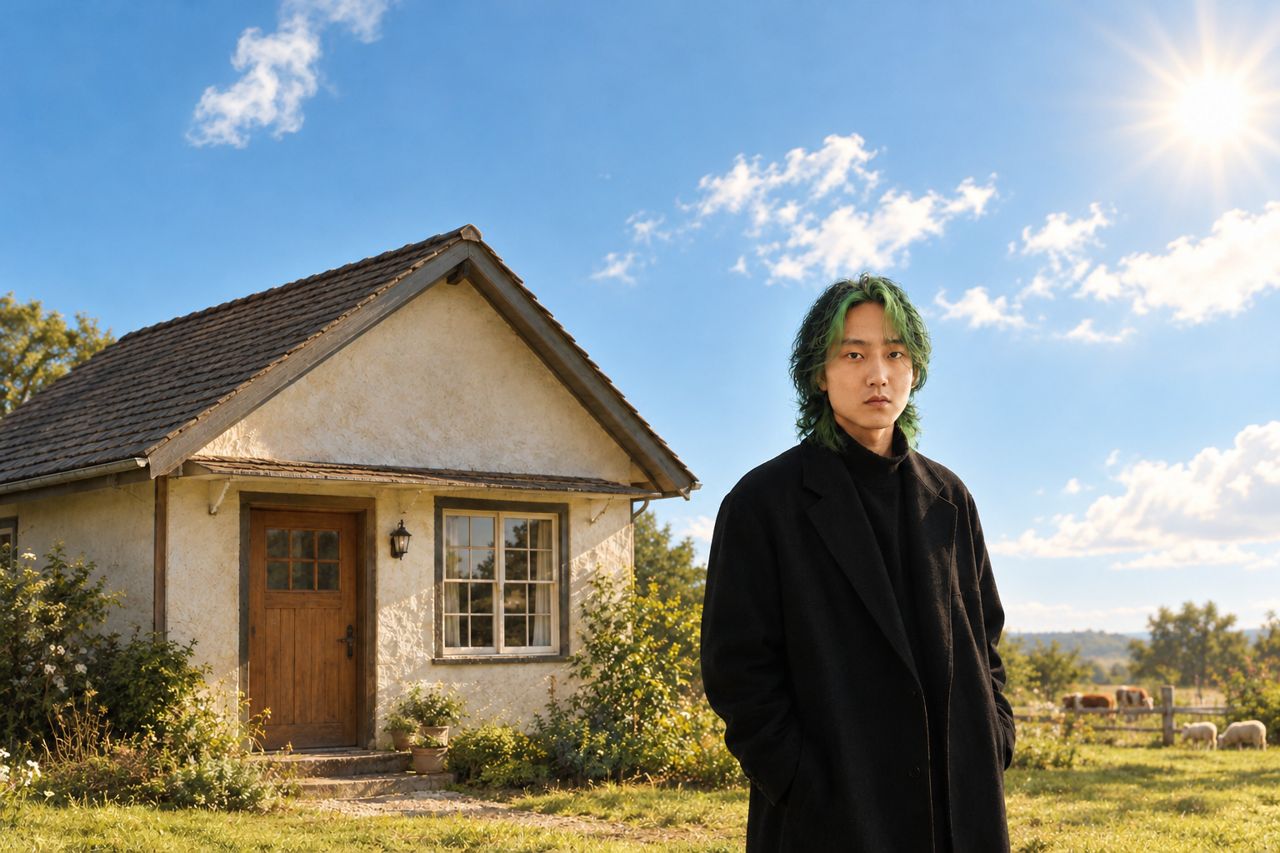
Result
Sign in to see your edits here.
Annotate
Edit with points, not long prompts
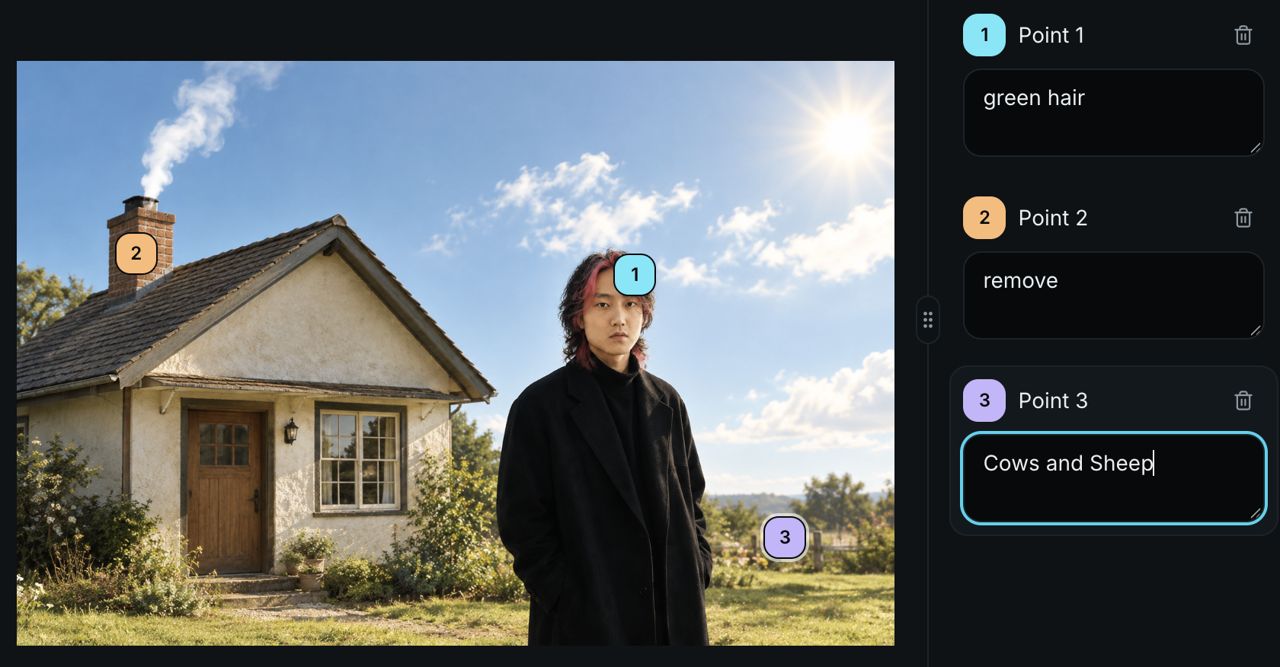
Drop numbered markers on the exact spots you want to change, add a short note for each, then generate. Precise edits without writing a paragraph.
Upload
Add the photo you want to edit.
Mark & note
Tap points on the image and type a short instruction for each.
Generate
Create the edited result from your annotations.
Precise local edits by clicking points
PoloX Point-based Image Editor lets you drop numbered markers on the exact spots you want to change, add a short note for each, then Generate—no long prompts, brushes, or masks.
Prefer typing a prompt? Use the AI Image Editor for whole-image text edits.
How to use it
Step 1
Upload
Add the photo you want to edit.
Step 2
Mark & note
Tap points on the image and type a short instruction for each.
Step 3
Generate
Create the edited result from your annotations.
Frequently asked questions
How does point-based editing work?
Click the spots you want to change, add a short note for each point, then Generate. The model focuses on your marked locations so you do not need a long prompt.
Do I need a long English prompt?
One short note per point is enough. English or Chinese both work (subject to model support).
Does this only change the spots I mark, leaving everything else untouched?
No. Under the hood this tool still redraws the whole image: it prioritizes your marked spots and notes, but it cannot guarantee strictly local edits—other details may still shift. For more stable local changes, mark carefully, write specific notes, and generate a few versions to compare.
Prefer typing a full prompt instead of points?
Use the AI Image Editor (/tools/ai-image-editor) to describe the change in text and generate.
Can I remove the background and export a transparent PNG?
This page is for point-based local edits. For one-click background removal and a transparent PNG, use Background Remover (/tools/background-remover).
What formats are supported, and is there a size limit?
JPG, PNG, and WEBP, roughly up to 30 MB per image.
Is this an app or a webpage?
It runs in the browser online—no desktop install required.
Related skills and tools
AI Image Editor
Upload a photo, describe the change in text, and generate the edited image.
Background Remover
Remove the background from any photo in one click and download a transparent PNG.
Point-based image Editing
/point-based-image-editing
Mark points on an image and describe each change to edit precisely.
Image Object Removal
/image-object-removal
Mark objects with boxes or masks and remove them while keeping the rest of the image.
Image Background Removal
/image-background-removal
Remove the background from an image and keep the subject as a transparent PNG.
Image Text Editor
/image-text-editor
Edit text in images by typing changes into detected text fields. PoloX rewrites only the text you change and keeps the rest of the image intact.